
Delete a Form
To delete a form, go to the Home Page of the Forms Module. Click the three dot (…) icon to the right of the form you want to delete to open the Form’s context menu.
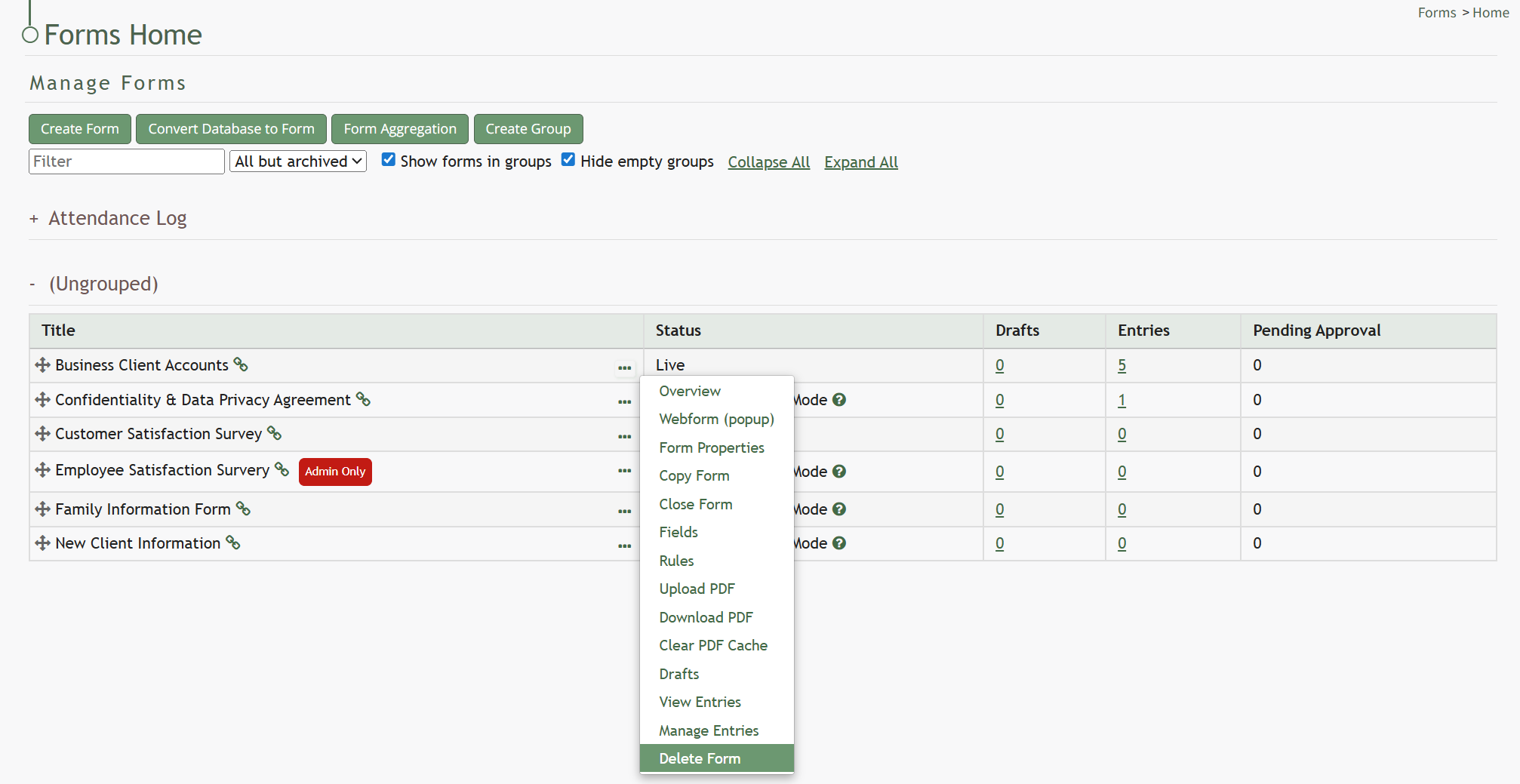
Select “Delete Form” opening the Delete Form Confirmation Modal which displays the Form Title and states, “Are you sure you want to delete this Form? This will delete the form and all entries. This cannot be undone!”
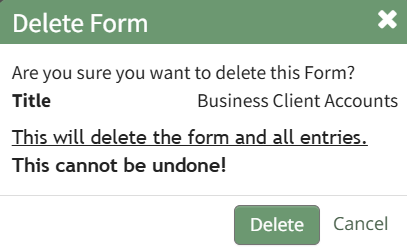
Select “Delete” to confirm you wish to delete the form and a confirmation modal will appear stating “This Form has been deleted.”
No comments to display
No comments to display