
Access a Budget Item Attachment
To access an attachment associated with a specific budget item, go to the Active Tab of the Budgets Page in the Finance Module.
Attachments can also be accessed for Closed or Archived Budgets on the appropriate tabs.

Clicking on the attachment file number in the attachments column opens the associated attachments file name as a clickable links that, if selected, will open the attached file for viewing.
You can also access your attachments by clicking on the budget name or the eyeball icon in the actions column of the Active Budgets Table which opens the Budget Items Per Budget Table.
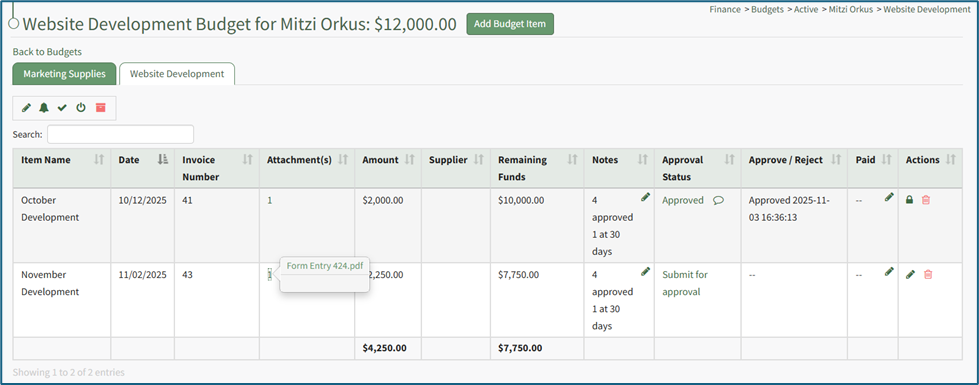
Click on the attachment’s entry for the desired budget item opening a modal with the attachment name. Click the attachment name and the attachment will automatically be downloaded to your personal device.
No comments to display
No comments to display