
Make a Hidden User a Visible User on the Users Table
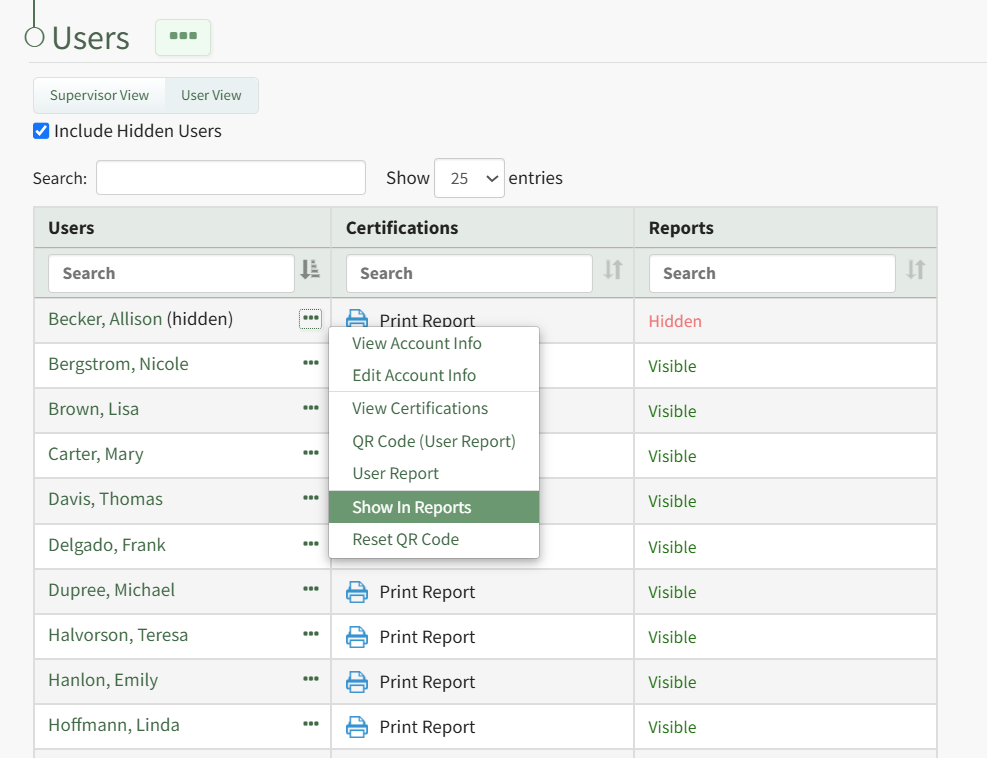
Click the three-dot icon to the right of the user's name who you wish to make visible opening the User Table Context Menu. Select "Show in Reports" from the context menu and the user is no longer hidden.
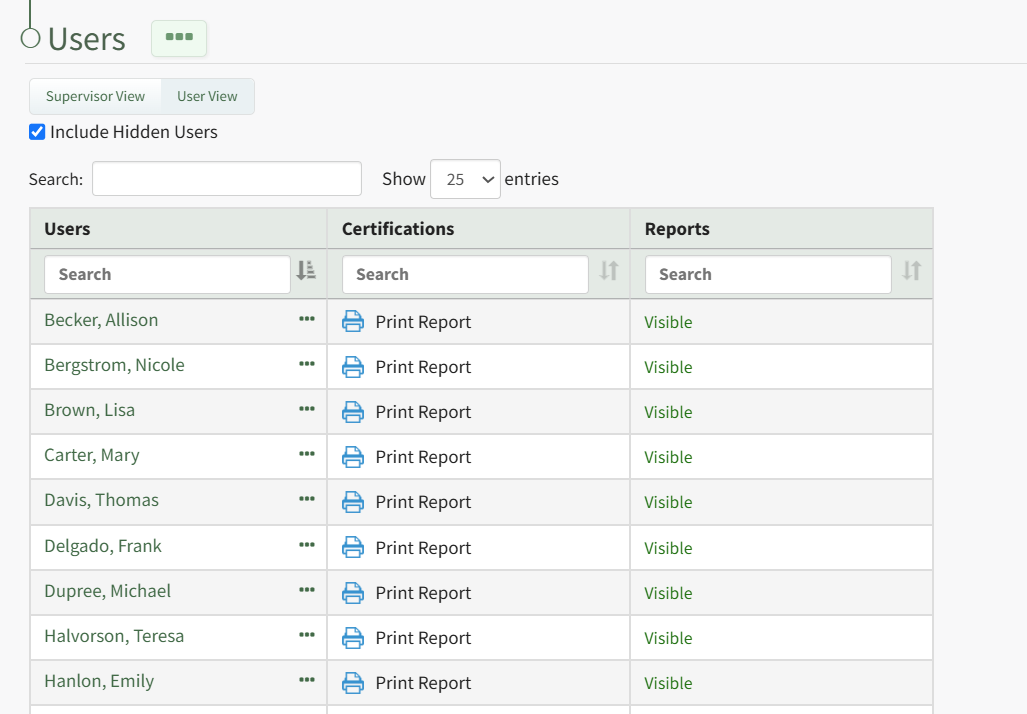
The individual and their user role and certifications report are now visible within the People Module.
No comments to display
No comments to display