
Assign Candidate Users to a Certification Role
Candidate Users are users who, based on their current completed Certifications and the Certification Requirements for this role, would be valid (green status) if they were added to this Certification Role. Candidate Users are identified by KAStrack and shared on the Assigned Users Tab of a certification role's Details Page.
To see candidate user recommendations and assign them, select Roles in the People Module on the Main Menu. This opens the Certification Roles Page. Identify the specific role whose candidate users you wish to review and select the clickable link "View/Edit (#)".
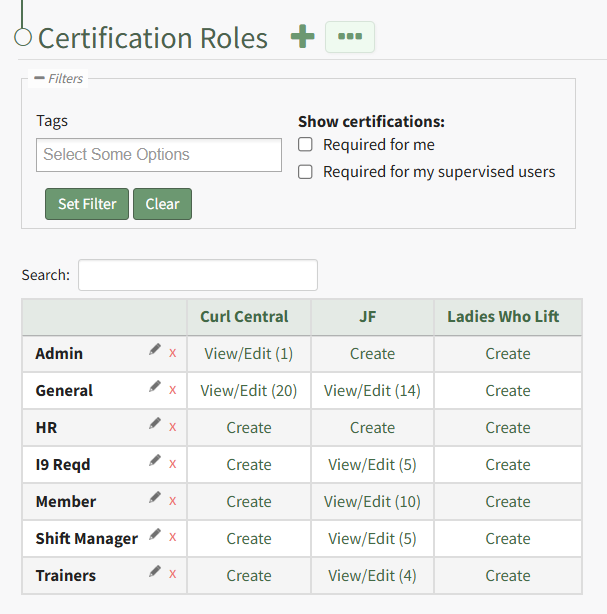 Identify the specific role whose candidate users you wish to review and select the clickable link "View/Edit (#)" opening the certification role's Details Page on the Assigned Users Tab.
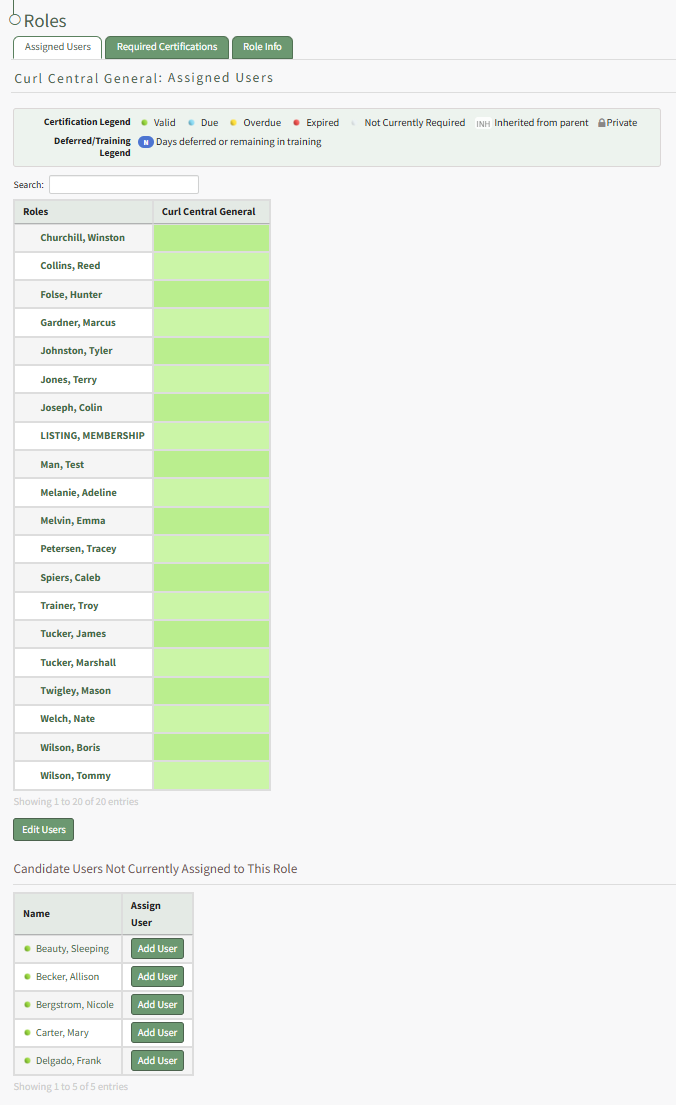
At the bottom of the tab will be the list of KAStrack generated candidate users that are not currently assigned to the role. Click the "Add User" button to the right of a candidate user's name and that user will now be included in the Assigned Users Table above.
No comments to display
No comments to display