
Create a New Module Level (Dispatch Module)
To create customized module levels in the Dispatch Module, go to the Module Levels Tab on the Settings Page of the Dispatch Module.
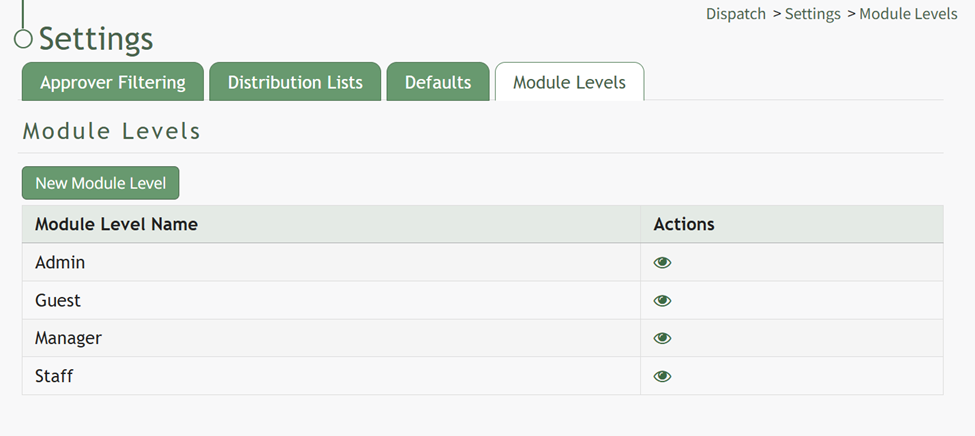
Select the “New Module Level” button opening the New Module Level Modal.
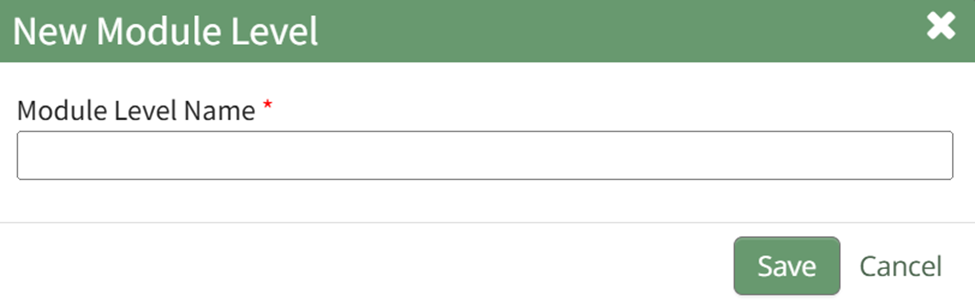
Input the New Module Level Name and select “Save”. The new module level now appears on the Module Level Table with action icons explained in the table below.
Module Level Customization Icons | |
Icon | Explanation |
| The eyeball icon allows you to view users assigned to the module level as well as the permissions assigned to them. |
| The bulleted list icon allows you to assign permissions to customized module levels. |
| The pencil icon opens the Edit Module Level Modal. |
| The trashcan icon opens the Delete Module Level Confirmation Modal. |



Select the Bulleted List Icon to open the Permissions Modal.
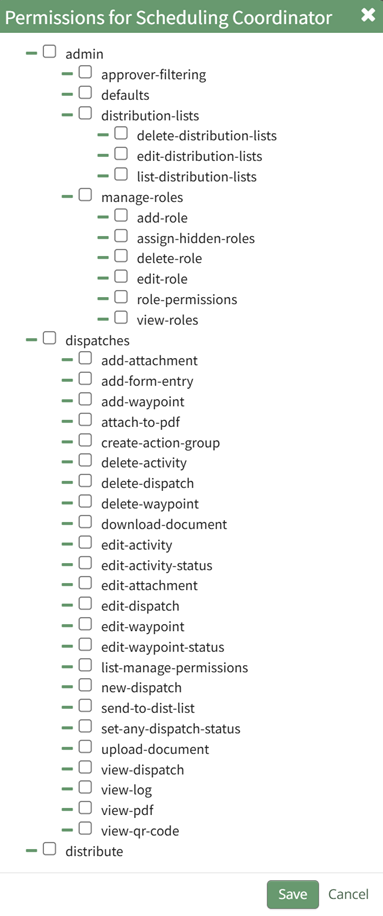
Select all permissions appropriate for the new module level and select “Save”.
No comments to display
No comments to display