
Create a New Folder
To create a new folder in the Documents Module, open the Documents Home Page from the Main Menu and navigate the repository to the location where you want to add an additional folder.
To create a nested subfolder within a folder, first open the parent folder. Then follow the steps to add a new folder below.
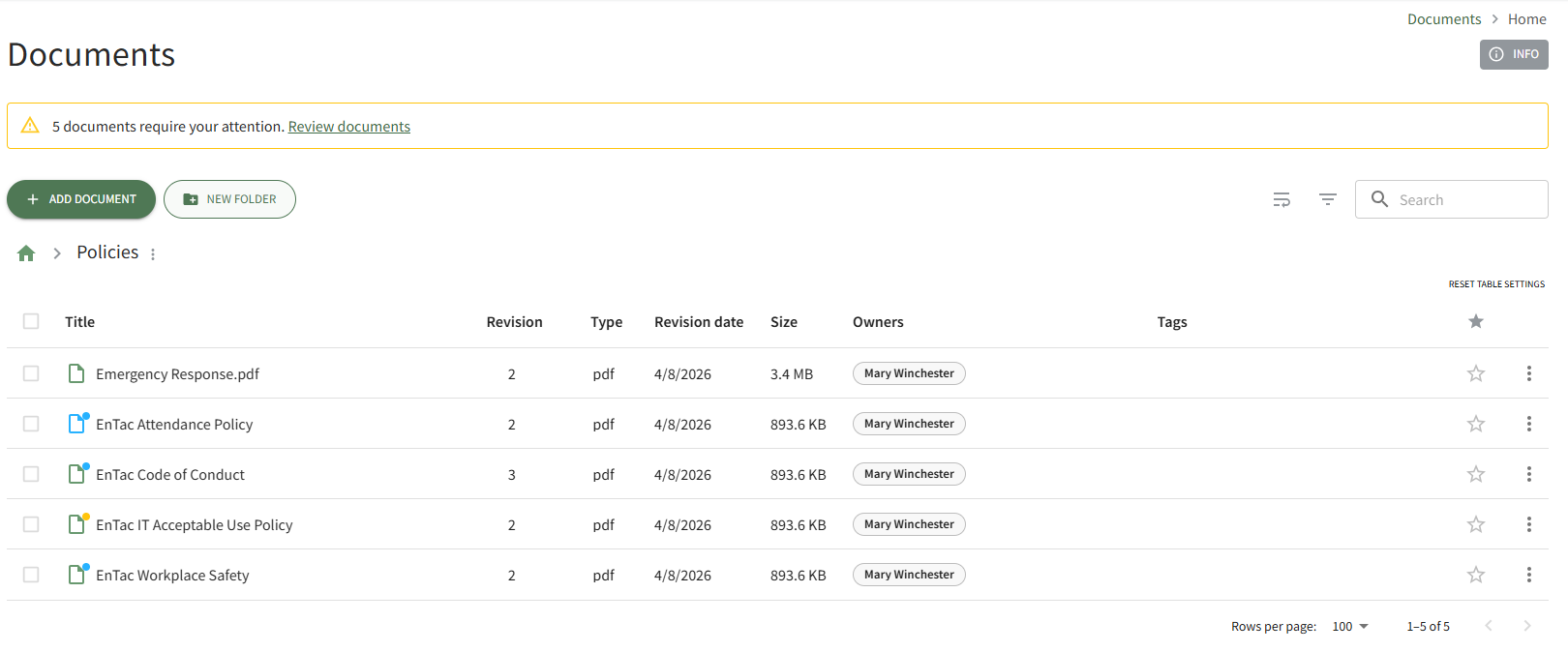
Select the New Folder button beneath the Home Page header. This opens the New Folder Modal.
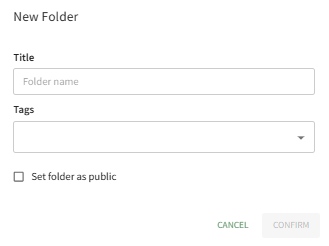
Input the title for the new folder.
If you would like the folder to be accessible to individuals that do not use KAStrack , select the “Set folder as public” checkbox. If the files in the folder are not for public consumption, leave the box blank.
Select Confirm and the new folder will be added to the Folder/File List on the Documents Home Page.
No comments to display
No comments to display