Only customized access levels can be edited or deleted. The KAStrack generated default Access Levels (admin, supervisor, employee, and observer) cannot be edited or deleted.
[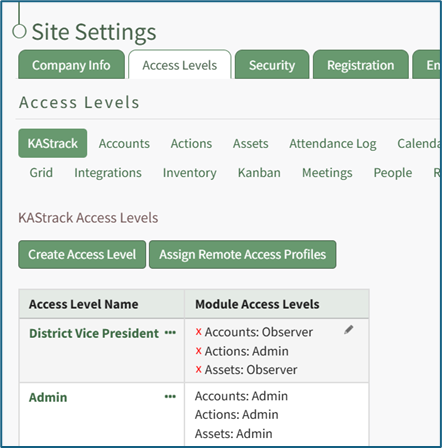](https://kaswiki.kastrack.com/uploads/images/gallery/2025-11/tWoimage.png) The three dot (…) icon next to your customized access level opens a context menu with three options: View Access Level, Edit Access Level, and Edit Module Access. [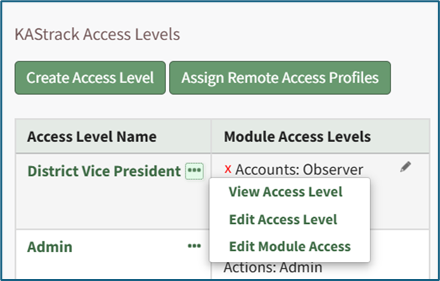](https://kaswiki.kastrack.com/uploads/images/gallery/2025-11/WVFimage.png) Selecting “Edit Access Level” from the context menu opens the Edit Access Level Page. [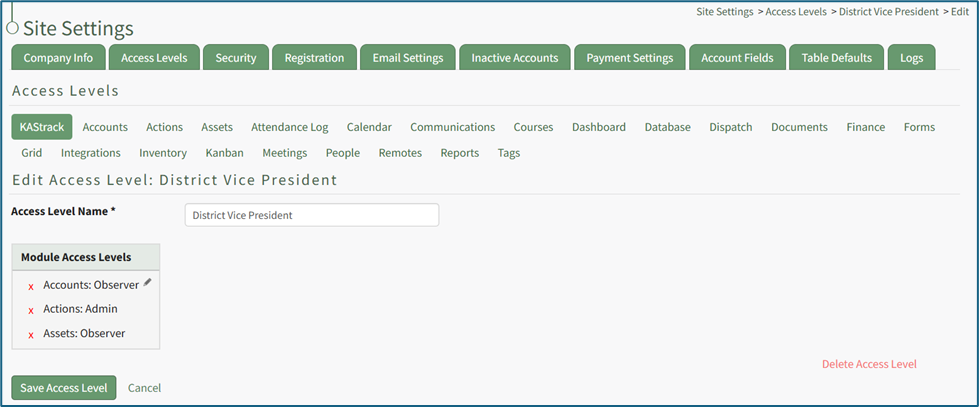](https://kaswiki.kastrack.com/uploads/images/gallery/2025-11/PaAimage.png) In the bottom right corner is a clickable “Delete Access Level” link. Selecting this opens a confirmation modal that states, “This will delete the access level. Are you sure you want to delete this access level?” [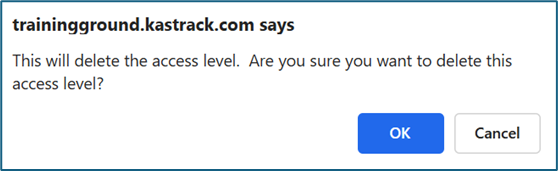](https://kaswiki.kastrack.com/uploads/images/gallery/2025-11/A1rimage.png) Click “Cancel” if you do not wish to delete the access level. Select “OK” to permanently delete the Access Level and return to the KAStrack Access Level Page.