
Designate a File is Public
To designate a document/file as Public in the Documents Module, open the Documents Home Page from the Main Menu and navigate the repository to the file you want to designate as public.
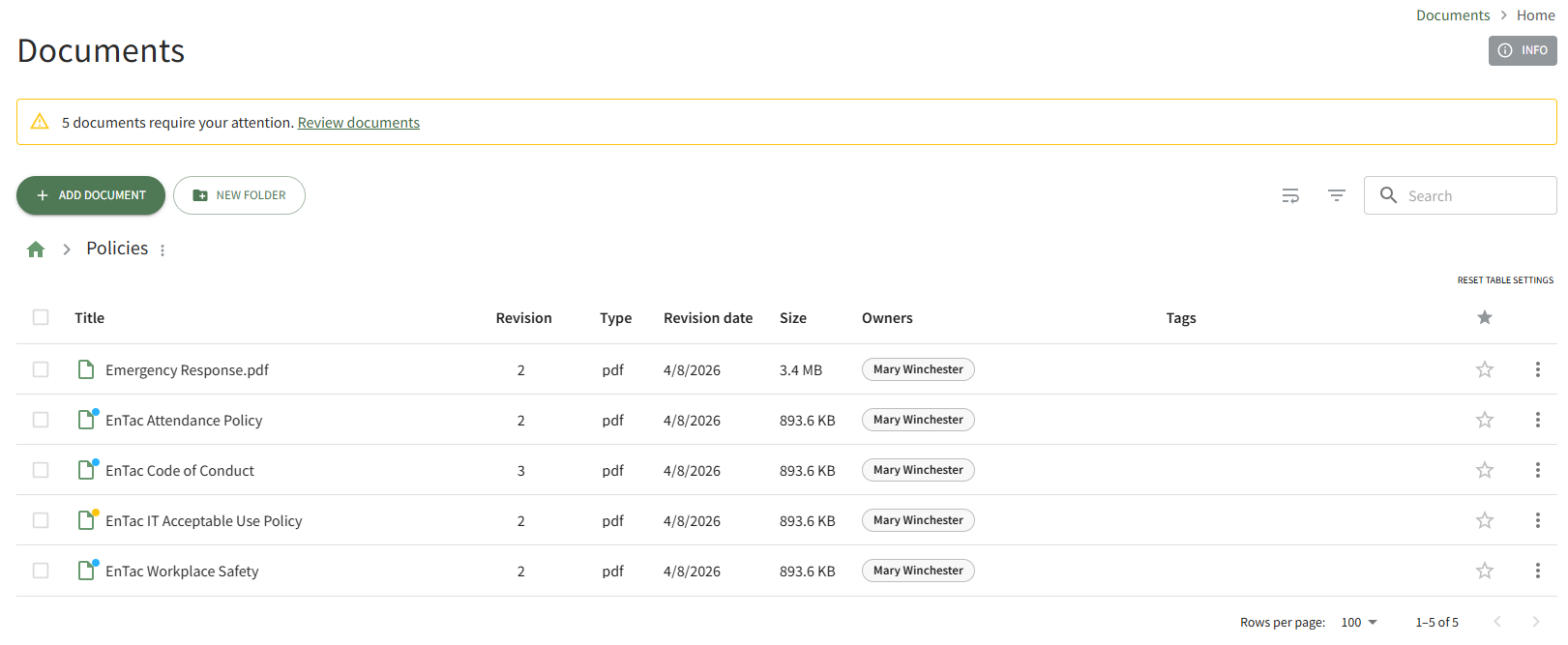
Click the vertical three-dot icon to the right of the file you wish to make public, opening the file's context menu.
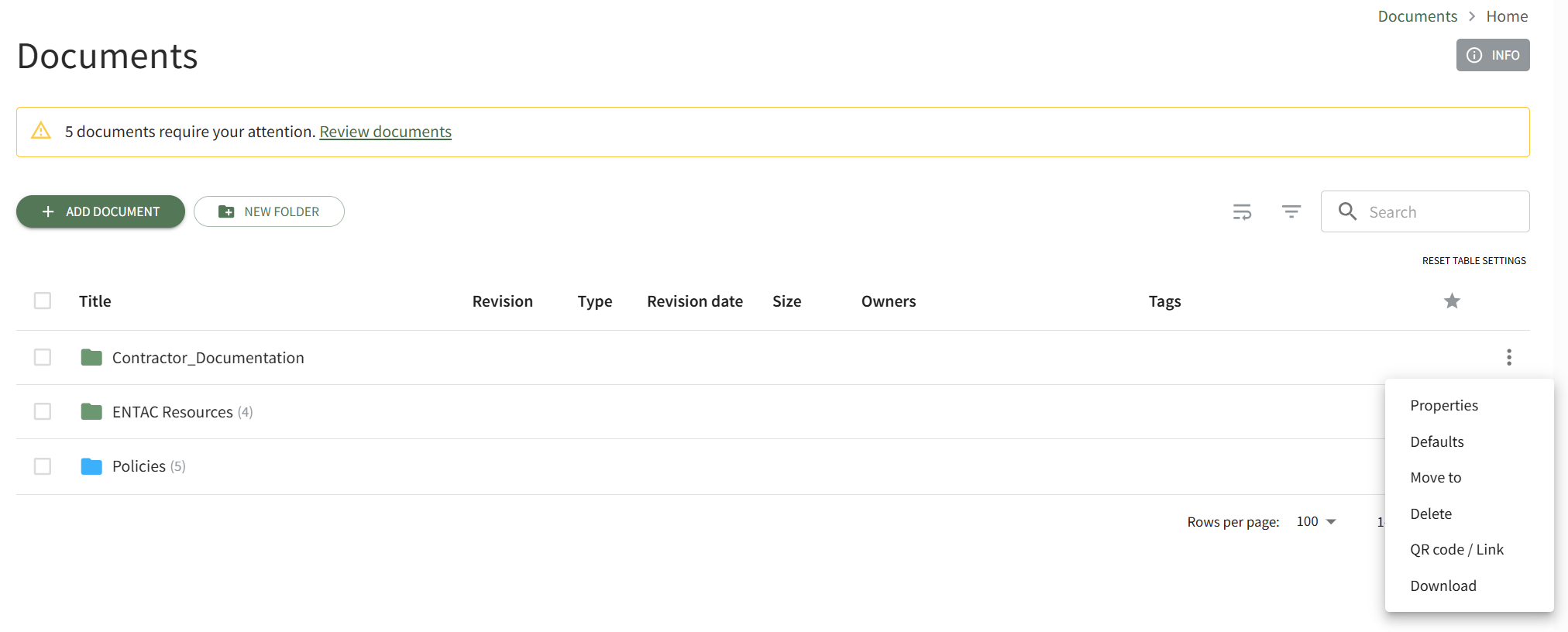
Select Properties opening the Basic Details Tab of the Document Properties modal. Open the Advanced Options Tab.
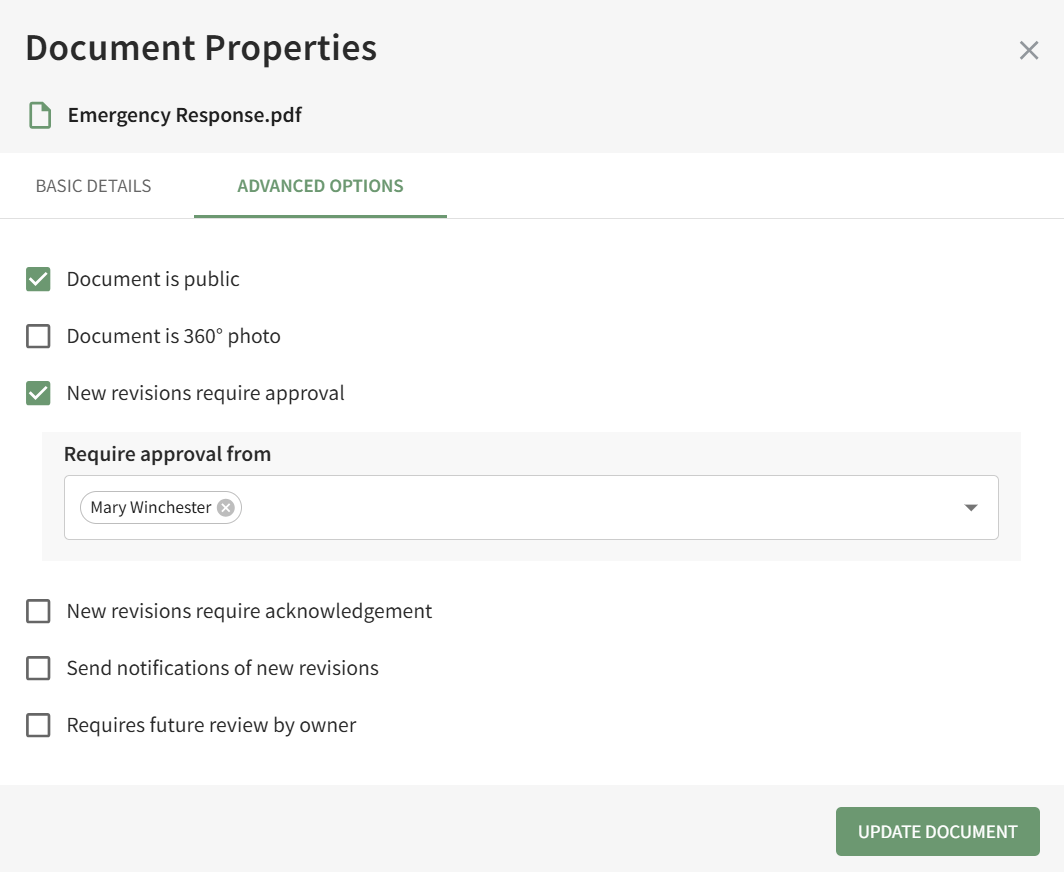
Select the checkbox to designate the "Document is Public" and click the Update Document button. A pop-up confirms that the document is now public.

The file's icon is now blue, indicating that the document is public.
No comments to display
No comments to display