
My Accounts Page: Notifications Tab
The Notifications Tab on the My Account Page allows a KAStrack user to make their own selections regarding the type and frequency of email reports and email alerts they wish to receive. There are two checkboxes that if selected, expand with additional options for customization: “Send Me Regular Email Reports” and “Send Me Email Alerts”.
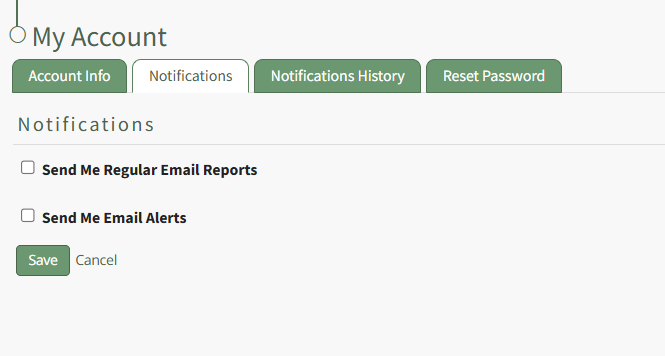
KAStrack generates and sends reports for the following modules: Actions, Assets, Documents, Finance, People, and Reports. If the “Send Me Regular Email Reports” box is checked, the user will be able to designate whether or not they wish to receive regular reports for each of those modules.
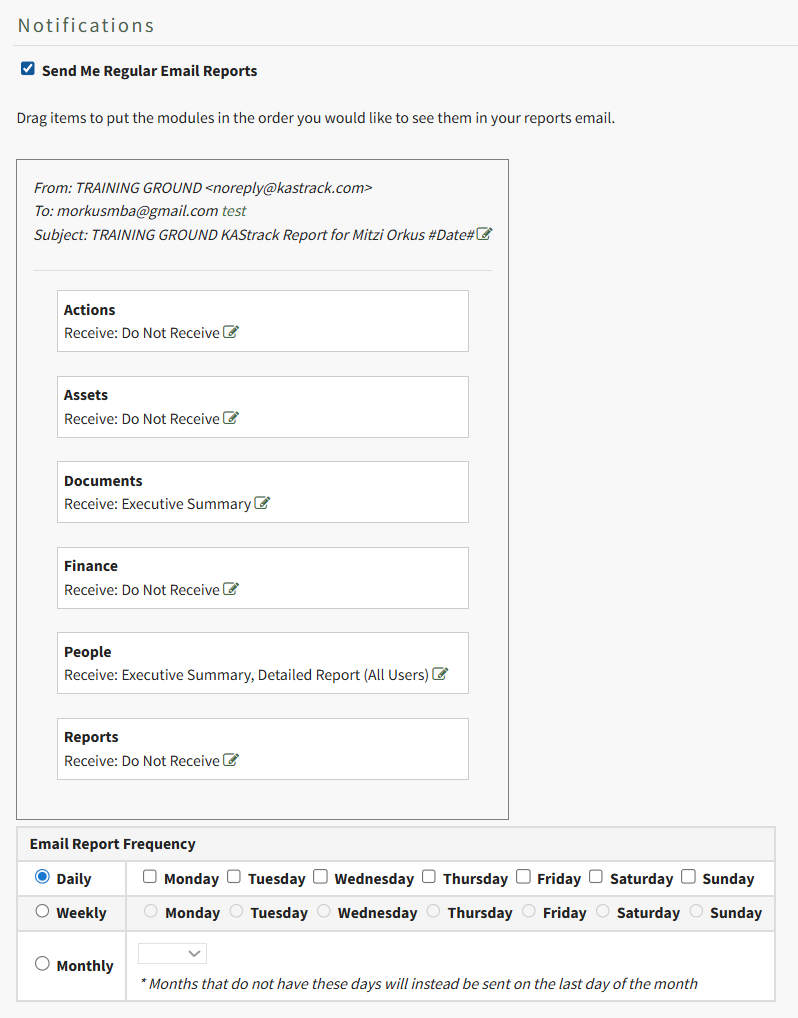
A preview of the email header and subject are shown above the listed modules. Press “test” on the To: line to be sent a test email of the report summary based on the settings below. If you’d like to edit the content of the email’s Subject, select the green pen at the end of the Subject line.
The items in the list can be dragged and dropped as desired according to user preference or priority. Changing the order modules are listed in changes the order reports are presented in on the actual email.
Each item has the word “Receive” located underneath it with a text box located to the right to permit selection of the report/summary. If the cursor is placed within the box, a default report type is offered for that menu item via drop-down list from which multiple reports can be chosen. The table below indicates the reports are available for each module. Save the field with no selected reports to set it as Do Not Receive.
Regular Reports Available via Email Notifications | |
Module | Reports Available |
Actions | Executive Summary |
Assets | Executive Summary, Detailed Report |
Documents | Executive Summary |
Finance | My Budgets, Executive Summary |
People | Executive Summary, Detailed Report (All Users), Detailed Report (Supervised Users), Detailed Report (All Users Grouped by Supervisor) Detailed Report (All Users Group By Supervisor) |
Reports | Accounts: Current Accounts, All Payments, Budgets: All Budget Items, Budgets: Approval Status, Budgets: Pending Approvals, Budgets: Rejected Budget Items, Budgets: Summary, People: Certification Status, People: Certification Status by Certification Role, People: Pending Approvals, People: Role Status The reports available from the Reports Module will vary per user based on what the individual has access to. |
How To: Edit Your Individual Email Report Preferences
KAStrack sends email alerts for the following modules: Accounts, Actions, Assets, Dispatch, Documents, Finance, Forms, Meetings, and People.
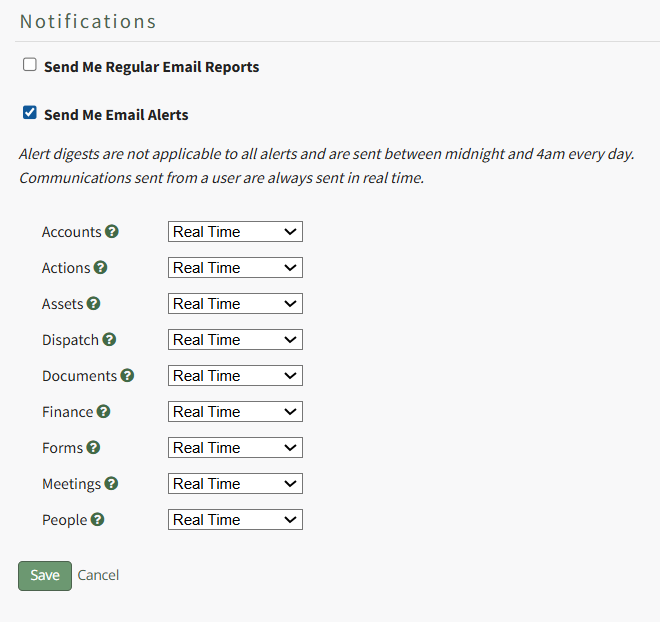
Each module has a dropdown menu with three options that designate when an email alert is sent: “Real Time”, “Digest”, and “Do Not Receive”.
Real Time is the default setting that sends email alerts in real time. Digest is KAStrack’s delayed timing feature. Selecting “Digest” will summarize all alerts with this designation to be sent daily between midnight and 4 a.m., Central Time (United States). Alert digests are not applicable to all alerts.
Whether or not an alert is digestible is specified by an individual with an admin access level.
Do Not Receive designates that the user does not wish to receive email alerts about that specific module.
Communications sent from users are always sent in real time.
How To: Edit Your Individual Email Alert Preferences
To edit your email alert preferences, open the Notifications Tab on the My Accounts Page in the Accounts Module. This tab is also accessible from the Main Menu.
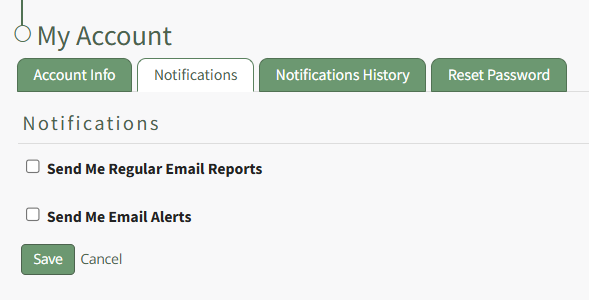
Select the “Send Me Email Alerts” checkbox opening the selections to be made for customization.
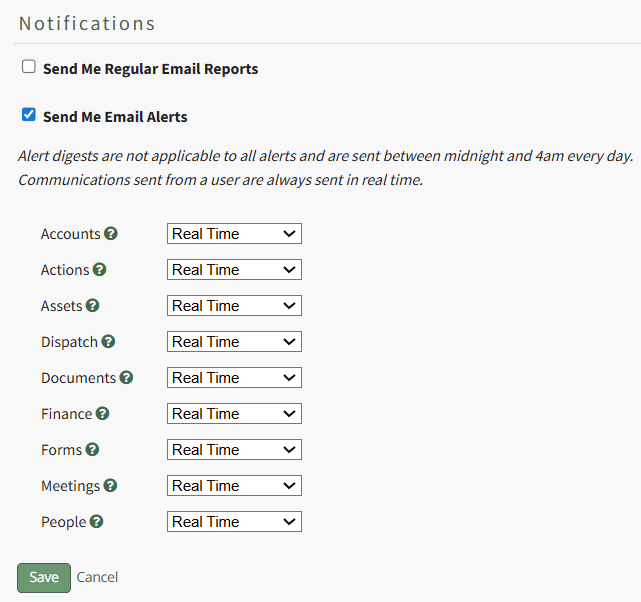
KAStrack sends email alerts for the following modules: Accounts, Actions, Assets, Dispatch, Documents, Finance, Forms, Meetings, and People. Each module has a dropdown menu with three options that designate when an email alert is sent: “Real Time”, “Digest”, and “Do Not Receive”.
Real Time is the default setting that sends email alerts in real time. Digest is KAStrack’s delayed timing feature. Selecting “Digest” will summarize all alerts with this designation to be sent daily between midnight and 4 a.m. Central Time (United States). Alert digests are not applicable to all alerts.
Whether or not an alert is digestible is specified by an individual with an admin access level.
Do Not Receive designates that the user does not wish to receive email alerts about that specific module.
Communications sent from users are always sent in real time.
When your desired selections are made, click on the “Save” button at the bottom of the screen. Clicking “Cancel” will not save changes and revert back to the previously saved preferences on the Notifications Tab of the My Account Page.
No comments to display
No comments to display