
Accounts Page Org Chart Tab
The Org Chart Tab on the Accounts Page in the Accounts Module is a visual representation of the organizational hierarchy established in KAStrack. When the Org Chart Tab is selected, a tree diagram representing the designated hierarchy appears as a quick visualization tool.

Hovering the cursor over a name will cause either directional arrows or “+” / “-“signs to appear. Click on the directional arrows around a user’s name to expand / collapse the org chart.
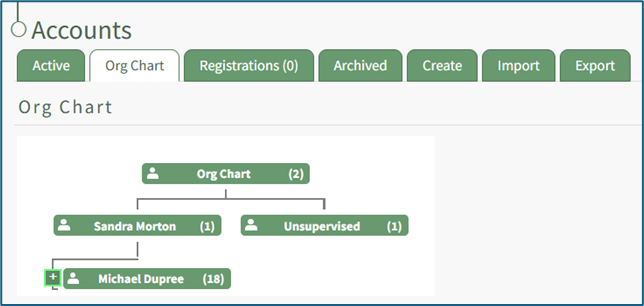
Click on the “+” icon next to the left of a user’s name for continued expansion of the hierarchy.

The “-” sign to the left of a name will collapse and hide the list below.
No comments to display
No comments to display