
Documents Module Summary
The Documents Module is a repository where all company files can be uploaded, stored, and managed. This module can track a company’s workforce acknowledgement of documents for workforce assurance and automate acknowledgment management for revised document updates. Additionally, the documents module automates annual suitability reviews and management of change.
The following file types can be previewed directly within the module without needing to download them first: .jpg, .jpeg, .webp, .gif, .bmp, .svg, .png, .mp4, .webm, .ogg, and .pdf.
For .url files, KAStrack will display the hyperlink instead of a preview. The viewer is feature rich for PDFs.
All filetypes can be uploaded to KAStrack, but the ones listed above may be viewed without being downloaded.
Files associated with and uploaded within the following Modules are not automatically saved in the Documents Module, but they can be manually uploaded in both: Assets, Courses, Dispatch, Forms, and People. Files uploaded into the Grid Module will automatically be housed in Documents.
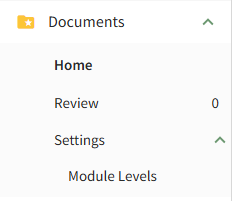
The table below provides a summary of each page in the Documents Module.
Documents Module Main Menu Page Summaries | |
Page | Explanation |
Home | The Home Page is the repository for all files and contains Folder/File List. |
Review | The Review Page is comprised of three tabs: Review, Notifications, and Updates. The user can select between the three tabs below the Review Page header to manage file approvals, acknowledgements, and continued suitability, as well as monitor any pertinent file updates and notifications. |
Settings | The Settings Page allows the user to customize and designate permissions for the Documents Module. |
The Documents Action Status Legend shown in the table below communicates the status of outstanding to dos in the module.
Documents Module Action Status Legend | |
Icon | Explanation |
| A red action status in the Documents Module indicates that a continued suitability review is overdue or that a document is waiting to be published. |
| A yellow action status in the Documents Module indicates there is a pending document approval. |
| The blue action status in the Documents Module indicates that a document acknowledgement/approval is required, a document is reviewed but not yet approved, or a notification of a new document revision. |


If there are multiple statuses relating to the same document, overdue (red) takes precendence over warnings (yellow) which takes precedence over being due (blue).
The User Manual for the Documents Module is updated through Version 11.12.
No comments to display
No comments to display