
Attendance Module Summary
The Attendance Log Module integrates with the Form Module to create attendance logs that can be used for a variety of purposes including (but not limited to) meeting/event attendance tracking, facility sign ins, and emergency mustering accountability. Your organization can have multiple attendance logs that can be used simultaneously.
All Attendance Logs are based on a form. Each attendance log must have its own form that cannot be used by another attendance log.
Forms can be copied for ease of creating multiple attendance logs.
How To: Copy a Form
To copy a form, go to the Home Page of the Forms Module and select the three dot icon to the right of the form title you wish to copy.
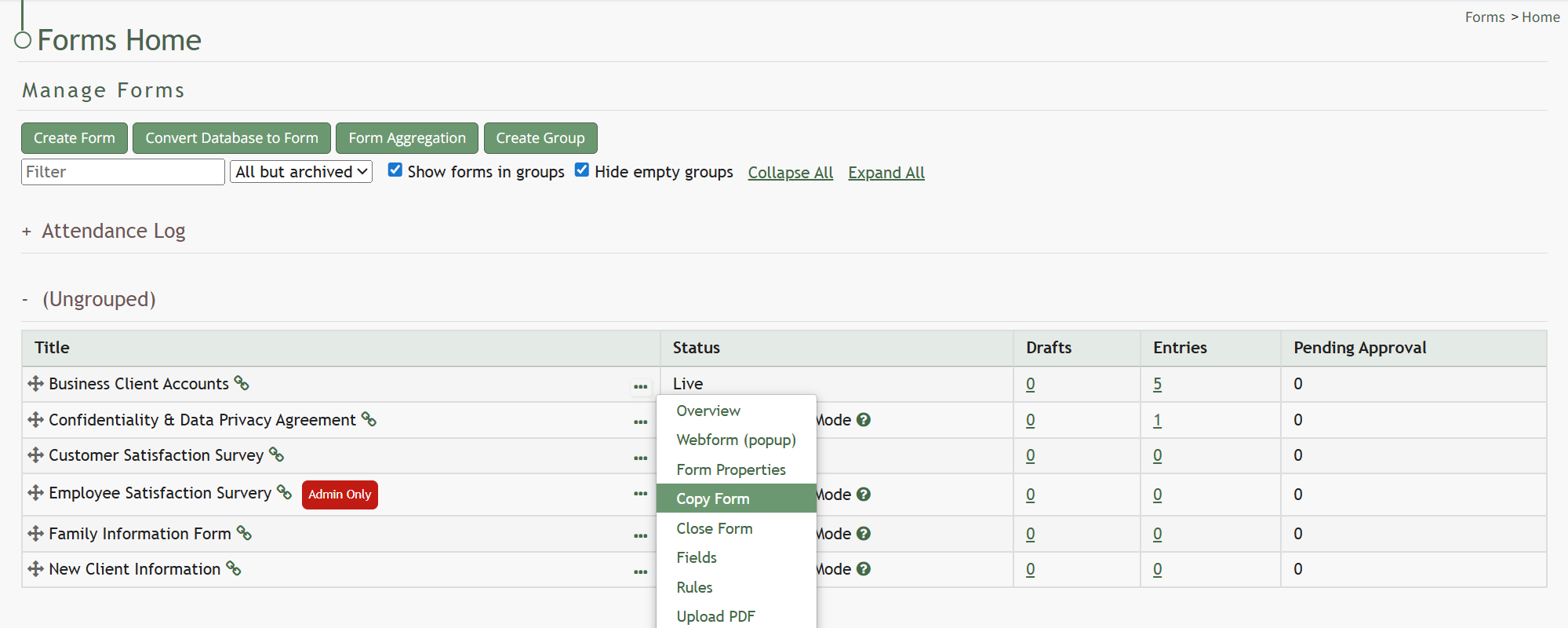
Select “Copy Form” from the context menu opening the Copy (FORM NAME) Modal.
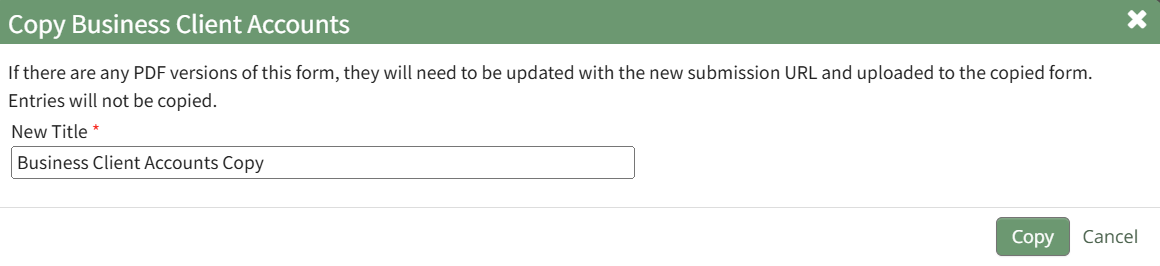
Input the desired name for the newly copied Form and select “Copy”.
The copied form will now show on the Forms Home Page.
The User Manual for the Attendance Module is updated through Version 11.12.
No comments to display
No comments to display