
Settings Page
The Module Levels Tab of Settings Page can be accessed from the Main Menu. The system default module levels for the module are visible in the Module Levels Table. New module levels with customizable permissions can be created and managed on this tab.
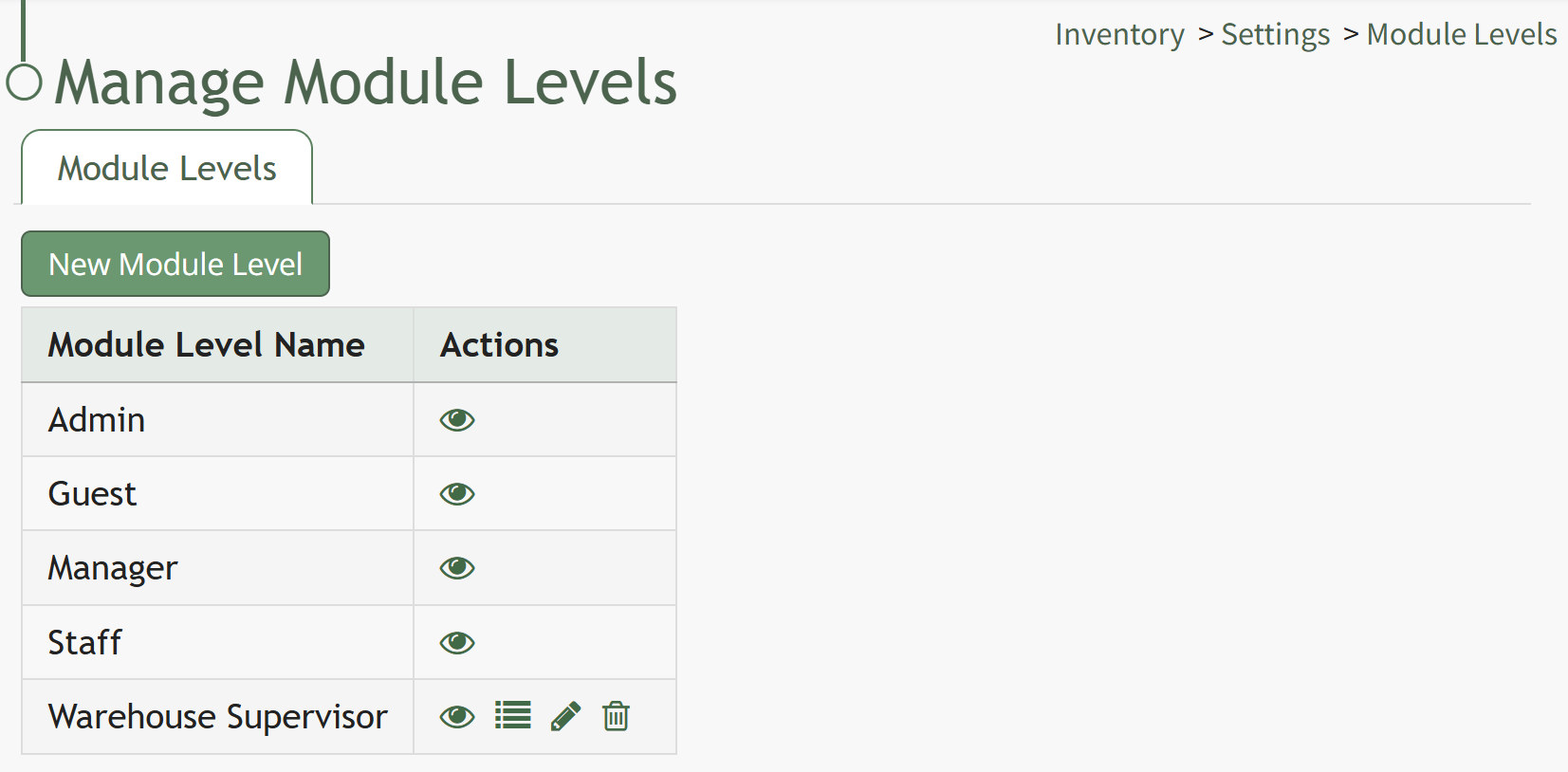
There are four system default module levels associated with the Inventory Module. An explanation of the permissions associated with each default module level are shown in the Inventory Module Level Permissions Table below.
System default module levels cannot be customized.
Inventory Module Level Permissions Table | |
Module Level | Permissions |
Admin | Manage inventories (Create, view, edit, delete inventory), Manage inventory databases, view stock log, manage roles, manage permissions, Manage stock (Can adjust) |
Guest | N/A |
Manager | Manage inventories (Create, view, edit, delete inventory), Manage inventory databases, view stock log |
Staff | Manage inventories (view inventory, view stock log), can adjust manage stock |
New Module Levels can be created in order to customize module level permissions to suit your organization's needs. An explanation of the icons associated with customized module levels have been provided in the table below.
Module Level Customization Icons | |
Icon | Explanation |
| The eyeball icon allows you to view users assigned to the module level as well as the permissions assigned to them. |
| The bulleted list icon allows you to assign permissions to customized module levels. |
| The pencil icon opens the Edit Module Level Modal. |
| The trashcan icon opens the Delete Module Level Confirmation Modal. |


How To: Create Module Levels (Inventory Module)
To create a customizable module level in the Inventory Module, go to the Module Level Tab on the Settings Page.
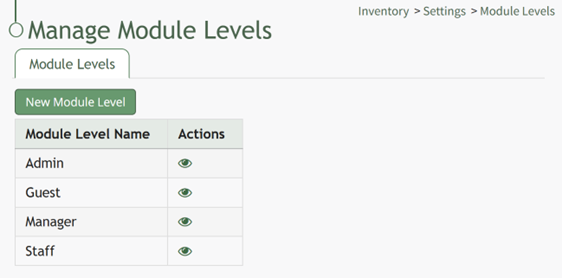
Select the “New Module Level” button opening the New Module Level Modal.
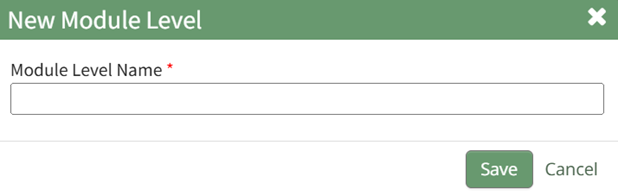
Input the new Module Level Name.
Click “Cancel” to return to the Module Levels Tab on the Communications Page without creating a new module level. Select “Save” and the new module level will show on the Module Level Table.
Users can select which permissions are allowed for a customized module levels. Select the Permissions icon (the bullet point list to the right of the eye) in order to assign the permissions the new Module Level would have within the Inventory Module.
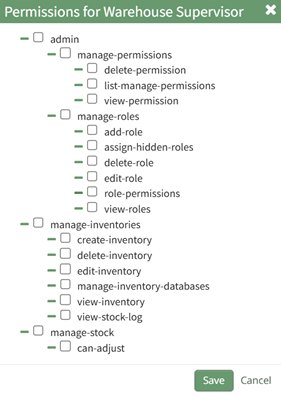
Select “Save” and the permissions are now assigned to the Module Level.
Access levels for all modules can also be managed in the Site Settings Module on the Access Levels Tab.
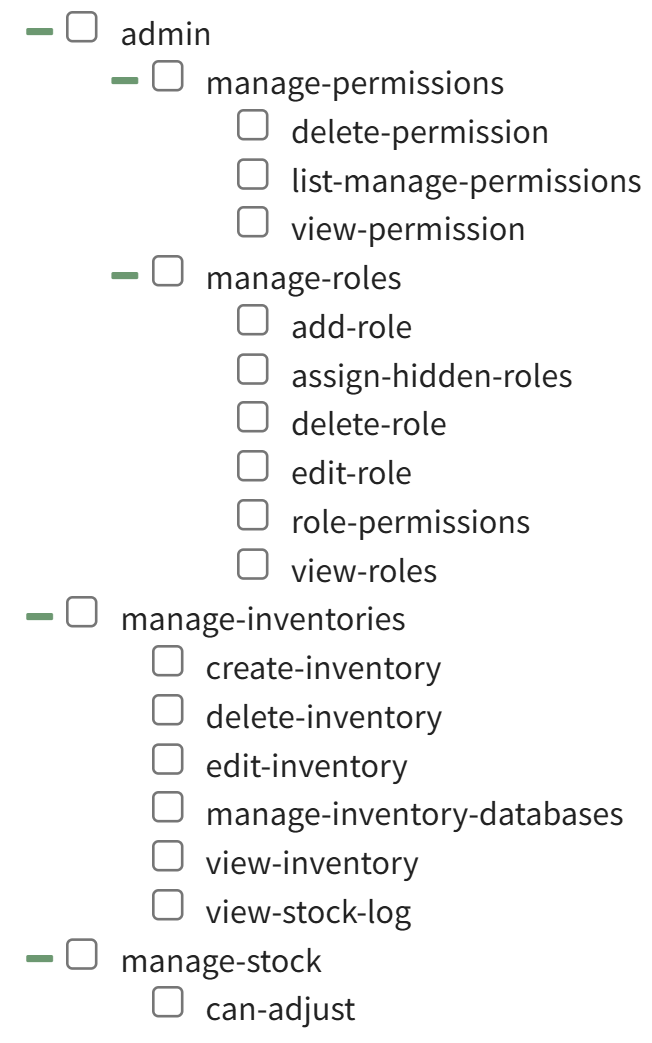
A complete list of all permissions associated with the Inventory Module have been provided below.
No comments to display
No comments to display