
Actions Home: Import Actions Page
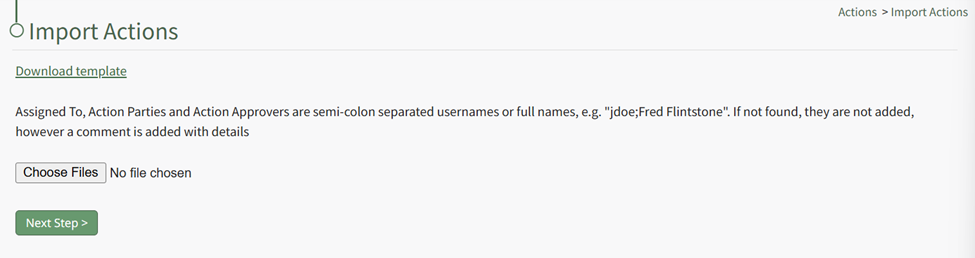
Import Actions Template Field Explanations | |
Field | Explanation |
Group | Input the Title of the Action Group this action should be associated with. |
Group Date | |
Action Number | Action Numbers are used to differentiate each task in a chronological order. Actions within the same Action Group cannot have the same Action Number. You can leave the field blank. You can also input text if you wish to use the alphabet as way to categorize actions. |
Title | Input the title of the action. |
Description | Input the description for the action. |
Source | |
Due Date | Input the date the action must be completed by. Relevant due dates cannot be imported. That feature is specific to Action Group Templates. |
Workflow | Select a default workflow (basic, basic with approval, complex) or a customized workflow specific to your organization. WIKI LINK HOW TO CREATE A NEW WORKFLOW |
Status | The status of the action is based on the workflow selected. Basic with Approval: Open, Pending Approval, Closed Actions can be imported into an active phase and not just the first phase of the workflow. |
Date Complete | This field should be blank unless the task is already complete. If the action is already completed, include the completion date here. |
Warn (Days) | Input a numerical value for the number of days ahead of the due date you want users to get a system email alert reminder of the outstanding action (converting from blue to yellow status). |
Assigned To | Input the users (by username or First Last Name) that an action is assigned to. Actions cannot be assigned to roles or access levels. An Action can be assigned to multiple people. Use a semicolon to separate individuals assigned to an action. |
Action Approvers | Input the users (by username or First Last Name) that can approve an action. Action Approvers cannot be assigned to roles or access levels. Multiple users can be designated as an action approver. Use a semicolon to separate individuals assigned to an action. |
Interested Parties | Input the users (by username or First Last Name) or Certification Roles that are identified as Interested Parties. Multiple users or roles can be designated as an Identified Party. Use a semicolon to separate users/roles. |
Action Response | |
No comments to display
No comments to display