
Search Tagged Page
The Search Tagged Page of the Tags Module allows the user to search through all entities within KAStrack to which tags have been assigned.
People cannot see tags that are not set as visible to them. The visibility of the filtered data or entities will honor the tag behavior.

To utilize the search feature on the Search Tagged Page, at least one tag must be selected from the Tags dropdown menu. Placing the cursor in the dropdown menu will open a list of all tags the user has been assigned visibility. The search, by default, will include all modules. By placing the cursor in the Modules dropdown menu, a user can select specific modules to limit their search to.
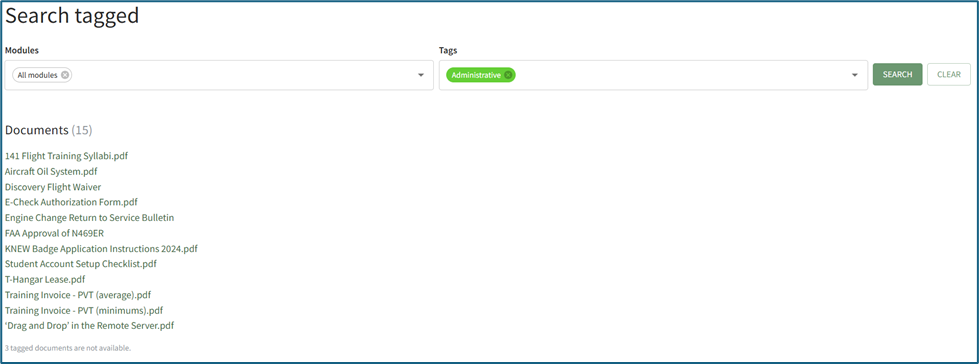
Search results will organize the entities tagged by module. All entities a user has visibility to will show as a clickable link that previews the entity selected or directs the individual to the entity in its associated module. The system will indicate the number of tagged entities not visible to an individual, but will not state what the entities are, indicating that there are entities that are assigned the searched tag that may be hidden by other tags or other privacy settings.
No comments to display
No comments to display