
Registrations Tab
The Registration Tab on the Site Settings Page is used to create Registration Profiles. Registration Profiles serve as templates for the efficient generation of new user accounts and can allow existing accounts to update account configurations.
Each registration profile has a customizable URL link that can be sent to individuals for new account registrations. A registration profile will specify the new user’s access level(s), certification role(s), supervisor(s), and notification template, as well as who should be notified about the new account, who will approve the new account, if email verification of the new account is required, and whether a welcome email should be sent. There is also an ability to leave a customized note for new registrations and a different message for an existing user.
If an existing user logs in from a Registration Profile link, the access level(s), certification role(s), and supervisor(s) listed on the Registration Profile will be added to the user’s account. Any existing access levels, certification roles, and supervisors on their account remain unchanged.
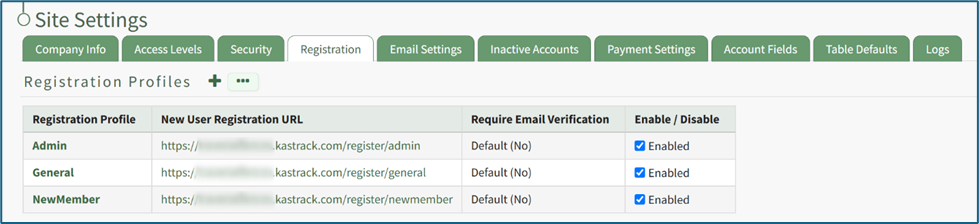
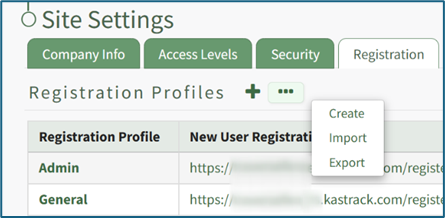
Selecting the plus icon to the right of the Registration Profile header is a quick link to the Create New Registration Profile Page. Selecting the three dot (…) icon opens a context menu with three options: Create, Import, and Export.
Registration profiles can be enabled/disabled via a checkbox in the rightmost column of the Registration Profile Table so that your organization has control of when this link is activated.