
Settings Page: Module Settings Tab
The Module Settings Tab on the Settings Page of the People Module allows the user to customize KAStrack settings for certifications and attachments. It is subdivided into two sections: “Notification Settings” and “Attachment Naming.”
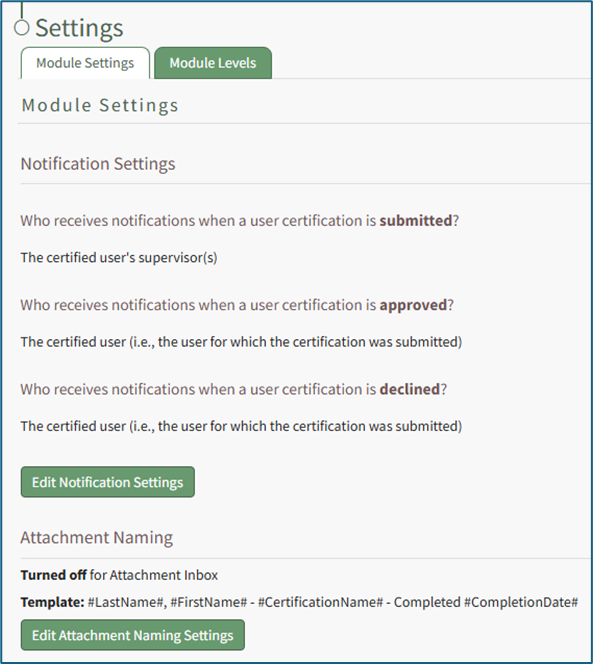
The “Notification Settings” section displays default selections for who will receive notifications under different scenarios/conditions. KAStrack has three default system notifications settings. The system will notify the certified user’s direct supervisor when a user certification is submitted, it will notify the certified user when a user certification is approved and it will notify the certified user when a user certification is declined.
These settings can be edited by selecting the green “Edit Notification Settings” button at the bottom of the section. WIKI LINK HOW TO EDIT NOTIFICATION SETTINGS
The “Attachment Naming” section allows the user to customize how attachments are named. This can be useful when batch uploading files with file names that don’t adequately indicate what the document is / relates to.
When this feature is turned on, KAStrack will require that every uploaded attachment be named according to the designated template within this module for organizational purposes.
The default template for Attachment Naming Settings is Last Name, First Name, Certification Name – Completed, Completion Date, however this can be customized to your organization's preferences.
WIKI LINK HOW TO EDIT ATTACHMENT NAMING SETTINGS