
Take the Course in Test Mode
To take a course in test mode, selectopen the threeCourses Module Home Page from the Main Menu. Click the three-dot (…) icon to the right of the course title opening the course context menumenu. and selectSelect "Test Course".
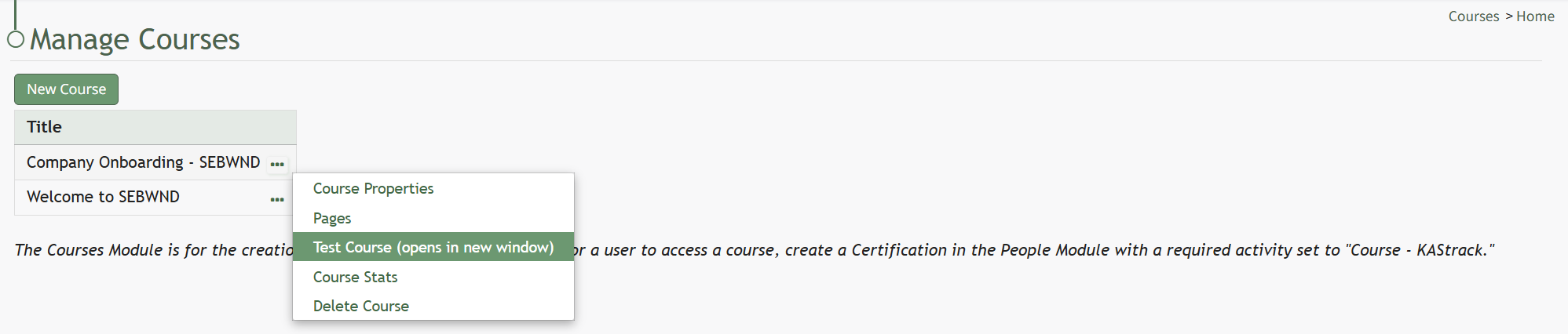
SelectThe “Testcourse Course (opens in a new window)” to work through the course.window.

This will open theThe course inis a new window, displaying the coursedisplayed from the user perspective.perspective, as if you were actually taking the course.
When taking the course in Test Mode, results will not be recorded and will not impact course stats.