
Take the Course in Test Mode

Existingtake coursesa are listed alphabeticallycourse in thetest table underneath the “New Course” button according to title.
To manage a pre-existing course,mode, select the three dot (…) icon to the right of the course title opening the course context menu and makeselect a"Test selection from the context menu.Course".
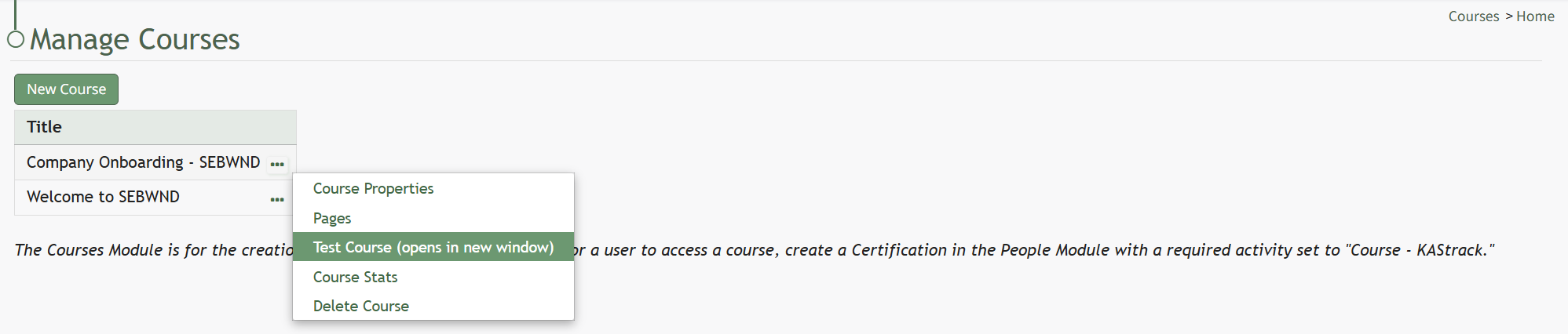
Select “Test Course (opens in new window)” to work through the course.

This will open the course in a new window, displaying the course from the user perspective.
When taking the course in Test Mode, results will not be recorded and will not impact course stats.