
Make a Form Live
To change a Form Status from Preview Mode to Live, , go to the Home Page of the Forms Module and select the three three-dot icon to the right of the form title you wish to make Live. This opens the Forms Table Context Menu.
Confirm that you have deleted any testing entries before you convert the form to Live status.
How To: Delete All Testing Entries
{{@392}}
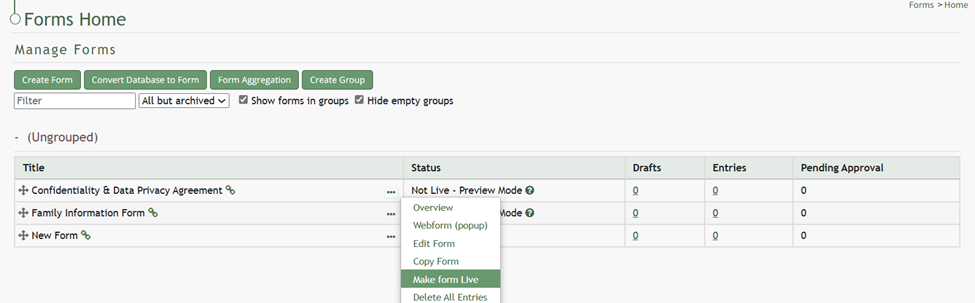
Select “Make Form Live”. This opens the Update Status Modal which states, “This form is now live.”
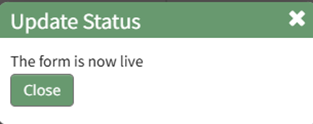
Click the “Close” button to return to the Forms Table on the Home Page. The Form Status will now show as Live.