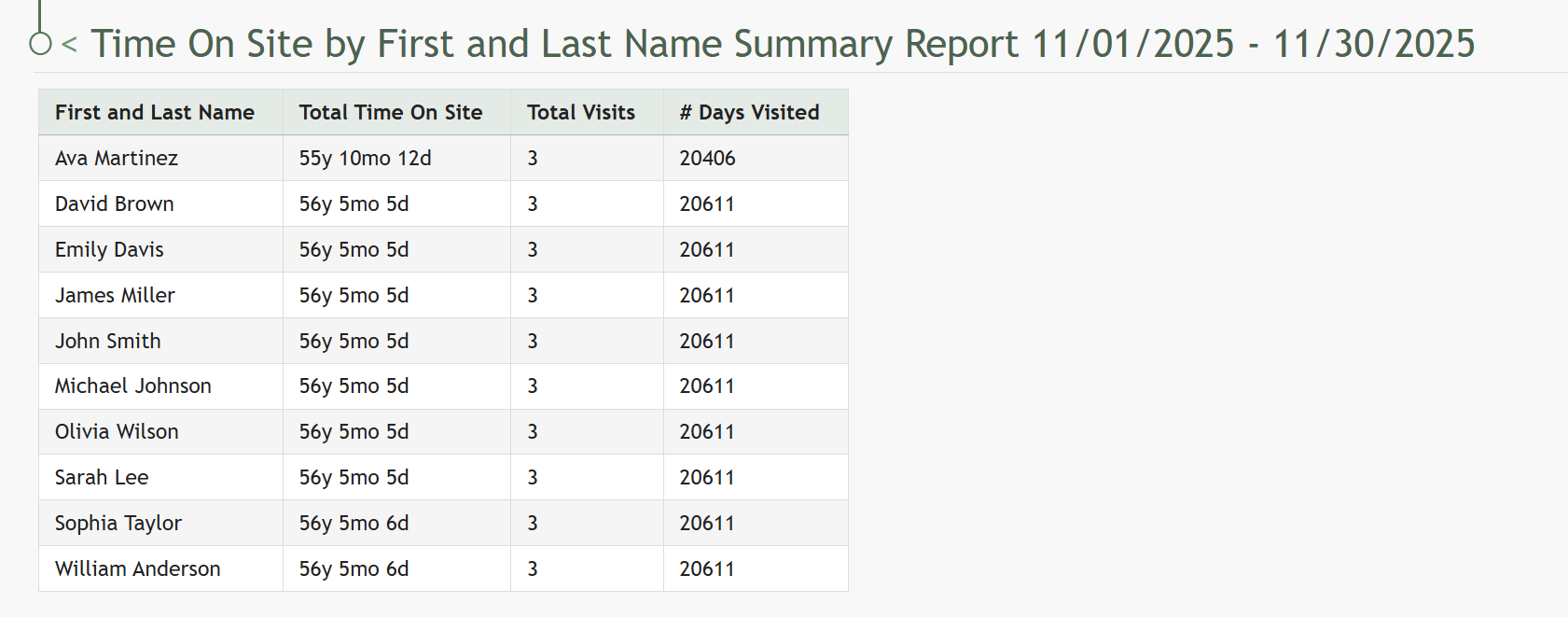
Generate a Time On Site Summary Report
TheTo KAStrackgenerate teama time on site summary report, open the Attendance Module Home Page from the Main Menu. Click the three-dot icon to the right of the attendence log you wish to generate a time on site summary report for opening the attendance log context menu.
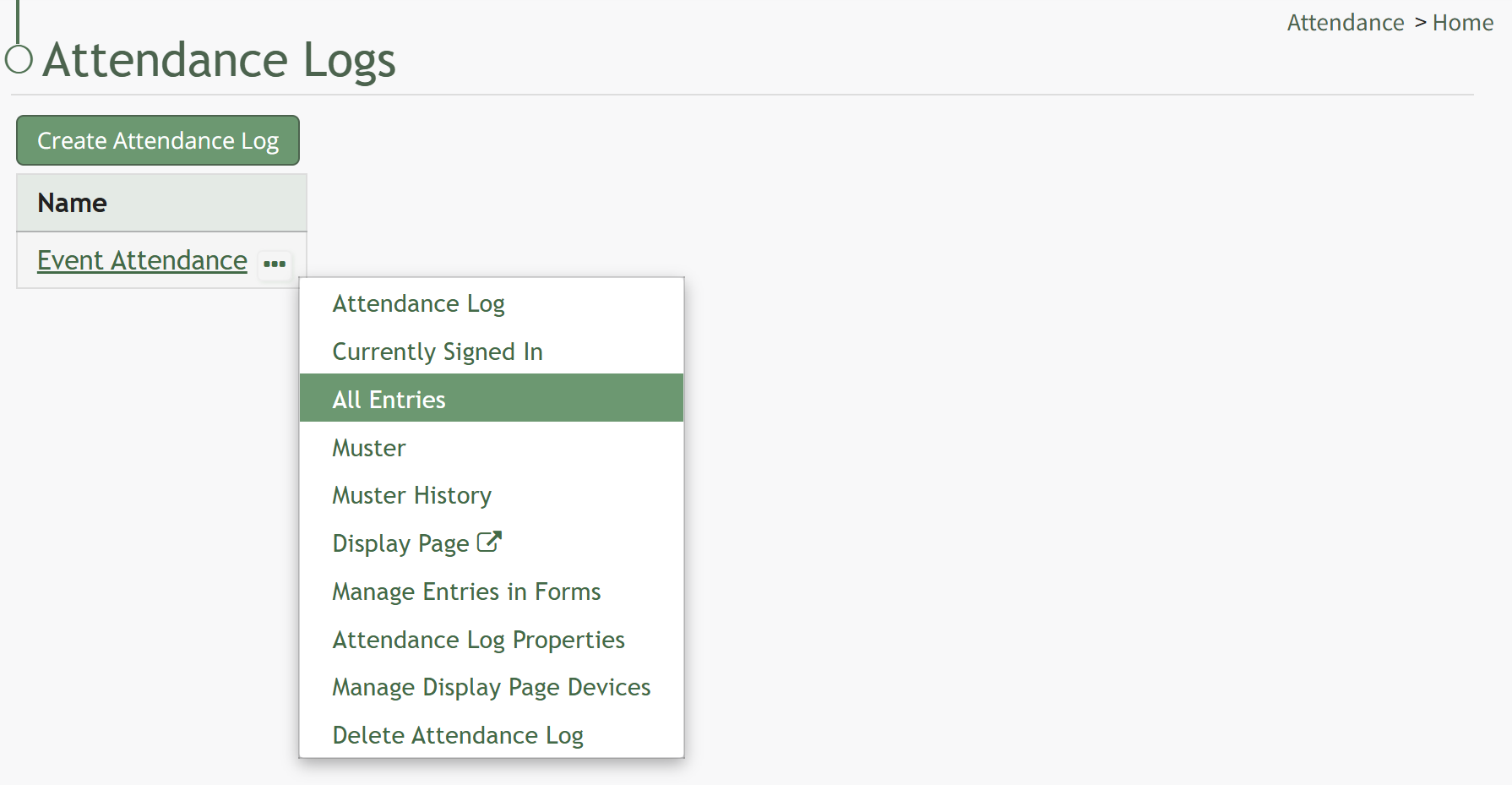
Select All Entries on the context menu to open the All Entries Page.
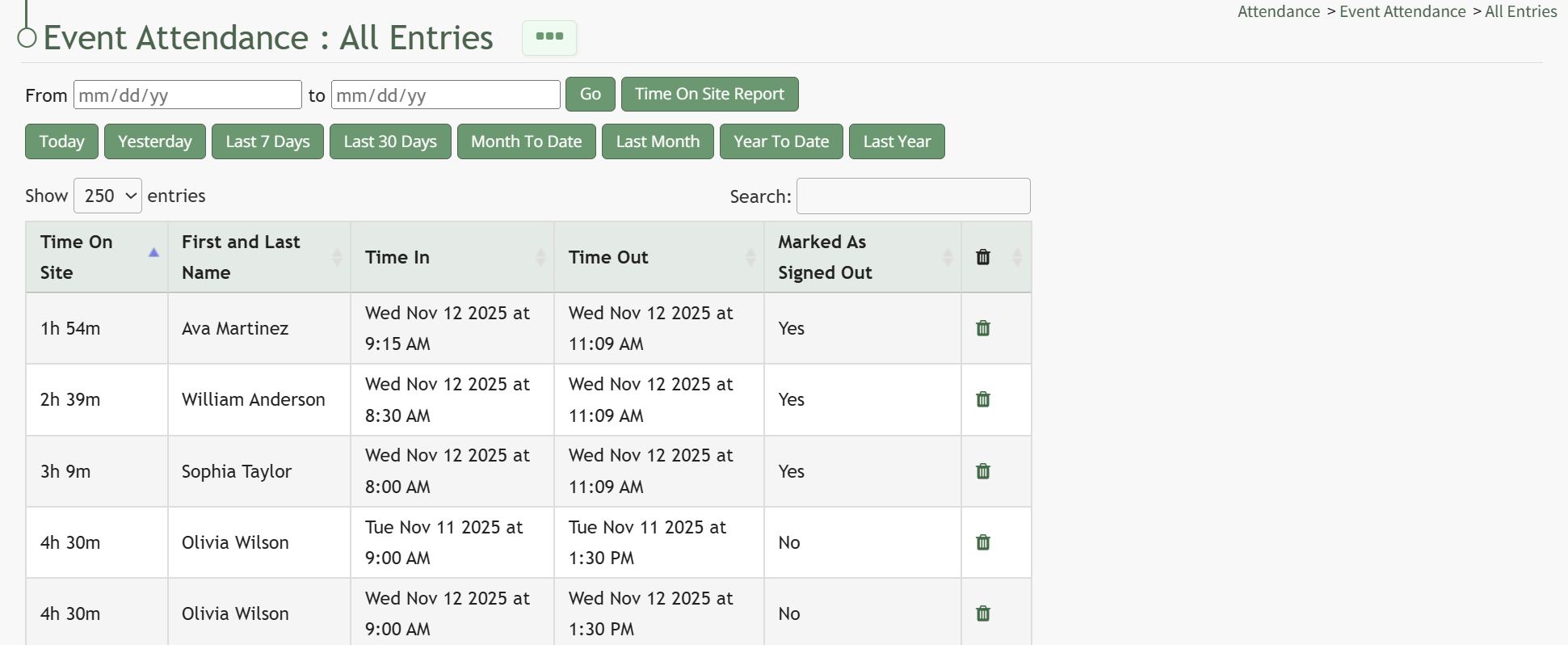
Click the Time On Site Report button opening the Time on Site Summary Report Modal.
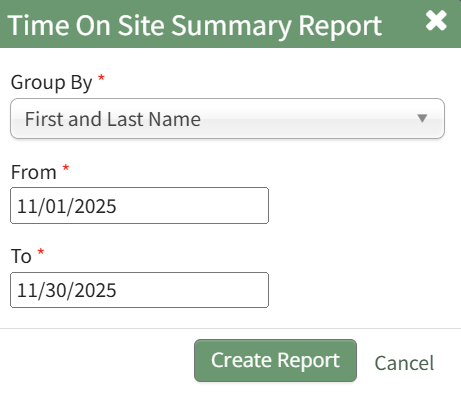
Select how you would like the time on site information to be grouped from the dropdown menu. Input a start date (From) and an end date (To) that you would like the time on site calculated for. (All fields on the modal are mandatory.)
Click the Create Report button, and a summary of time on site is ingenerated within the processAttendance of creating this new how to for you!Module.