
Edit An Action Group
To edit a specific action group, select the Groups Page on the Main Menu, opening the Manage Action Groups Page. Clicking the three-dot icon to the right of the action group opens the Action Group Context Menu.
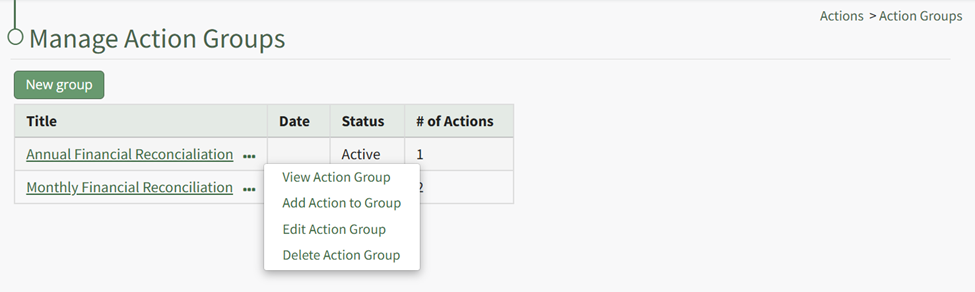
Select “Edit Action Group” from the context menu opening the Edit Action Group Modal.
Make the desired changed to the action group. See the Actions Group Field Input Explanations Table for information about individual field inputs. WIKI LINK AN ACTION GROUP PAGE
Select “Save” when done making field changes, and the action group is now edited.