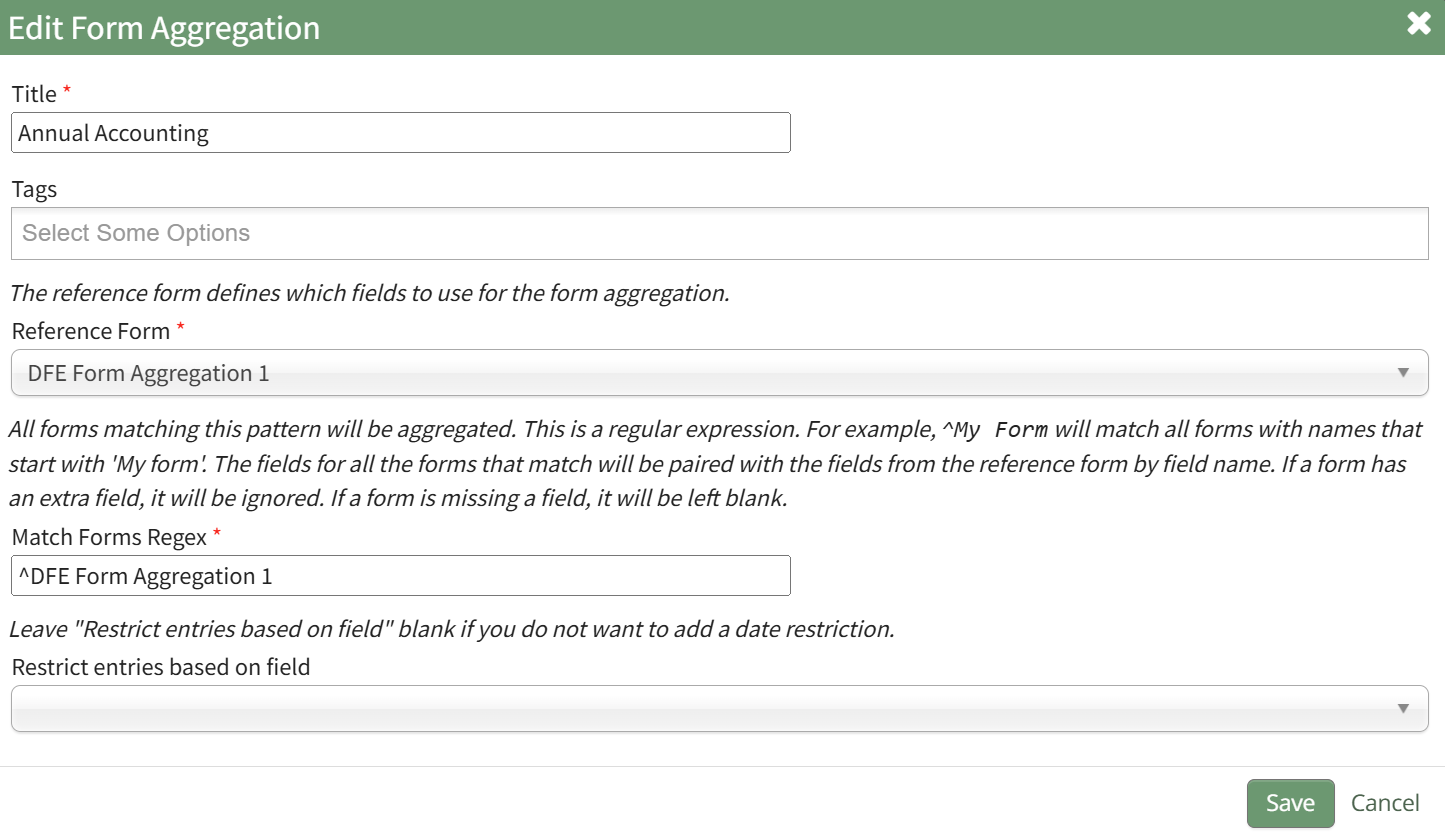
Edit a Form Aggregation
To edit a form aggregation, open the Home Page of the Forms Module and click the Form Aggregation beneath the page header.

This opens the Form Aggregation Page.
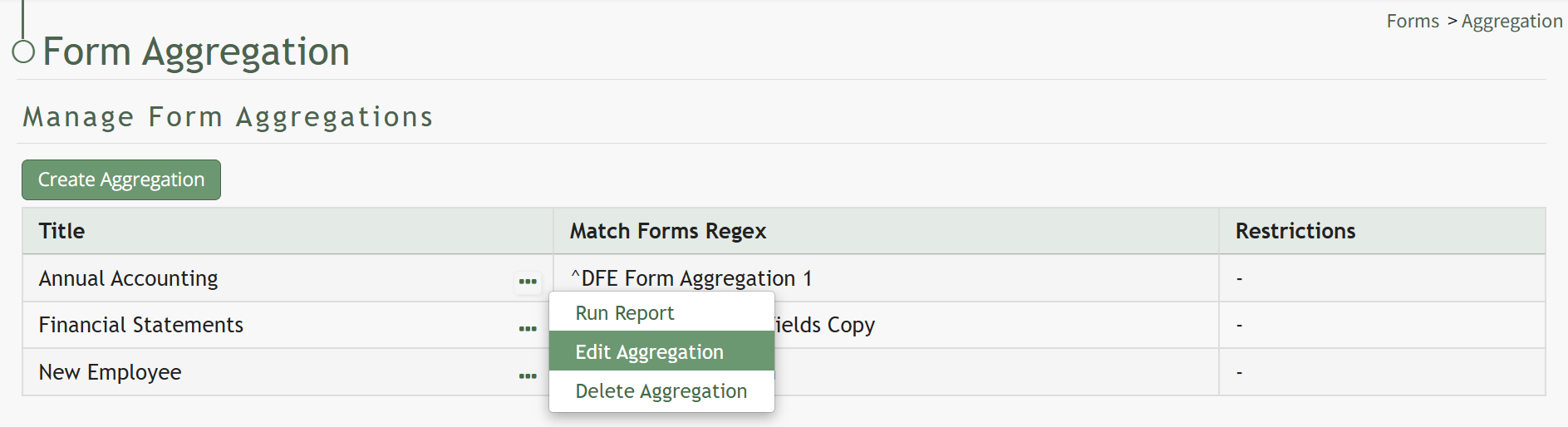
Click the three-dot icon to the right of the aggregation you wish to edit opening the Aggregation Context Menu and select the Edit Aggregation option. This opens the Edit Form Aggregation Modal.