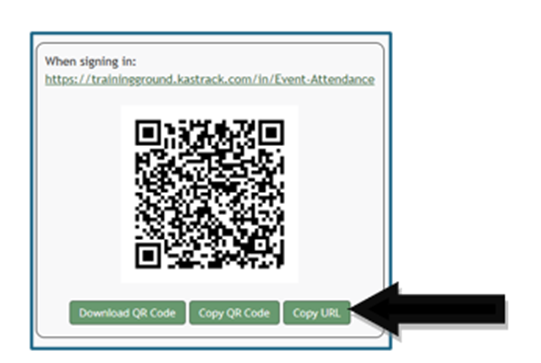
Copy an Attendance Log URL Link
To copy an attendance log’s Sign In, Sign Out, or Muster Link, go to the Home Page of the Attendance Module. Click the attendance log’s name or click the three-dot icon to the right of the specific attendance log, opening the context menu.
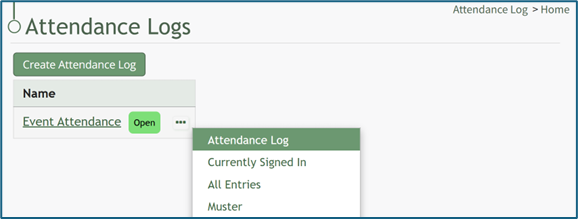
Select “Attendance Log”, opening the attendance log’s Information Page.
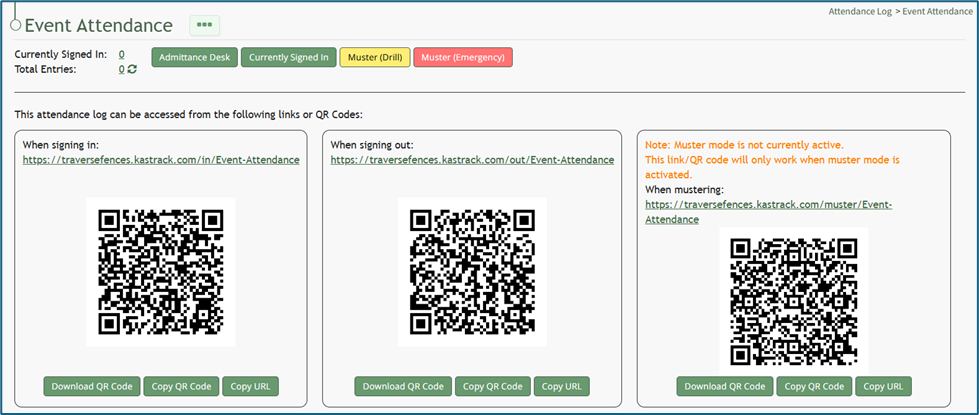
Within the Signing In, Signing Out, and Mustering sections of the Information Page, there are “Copy URL” buttons. To use the Mustering link, muster mode needs to be activated.