
Add a Meter to an Asset
To add a meter to an asset, the Meter Type must already be created through the Assets Settings Page. WIKI LINK HOW TO CREATE A METER TYPE
To add a meter to an asset, select the Manage Assets Page from the Main Menu in the Assets Module. Use filters as needed and identify the asset/component you want to add a meter to. Click the three dot (…) icon next to the Asset/Component Title to open the Asset Management Context Menu.
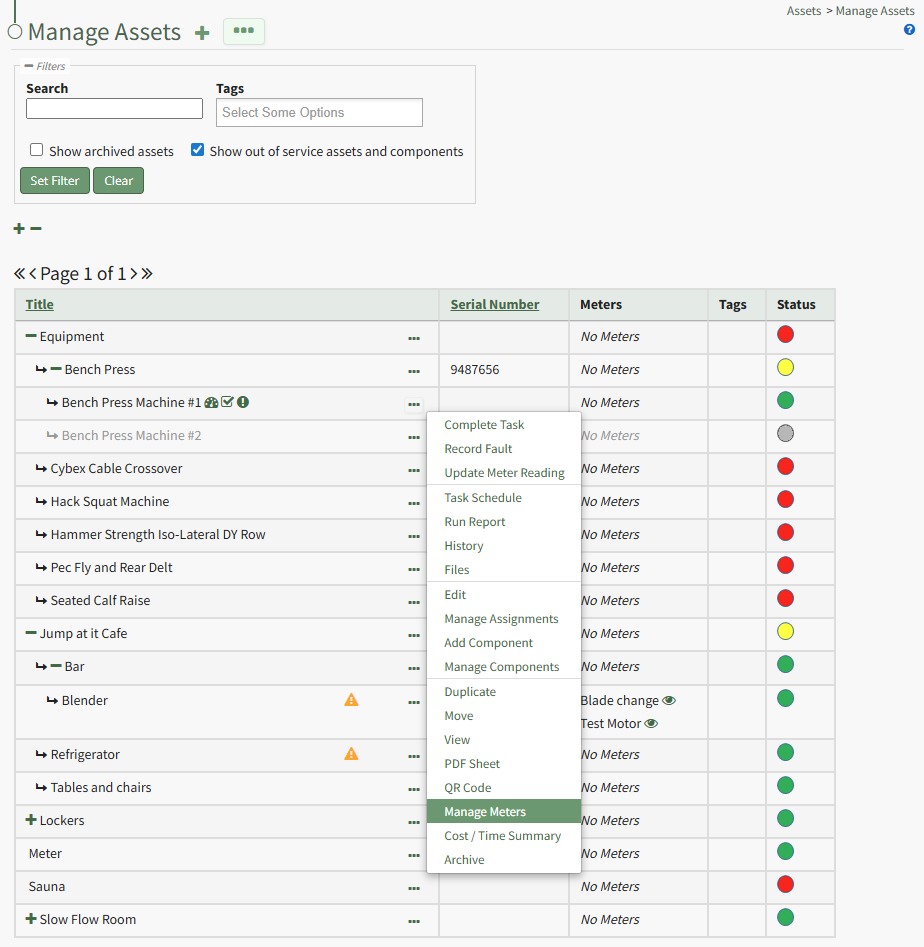
Selecting “Manage Meters” from the context menu opens the Asset Meters Modal.
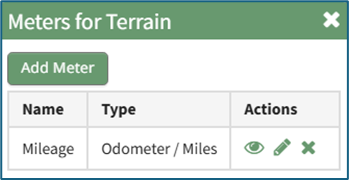
To add a new meter, select the “Add Meter” button opening the Add Meter to (Asset Name) Modal.
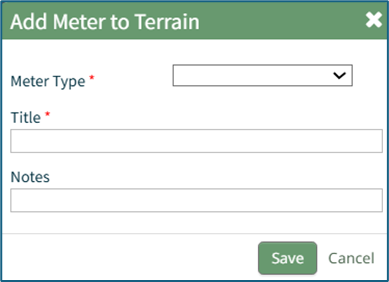
Select the Meter Type from the dropdown menu.
Input a title for the new Meter. Include any notes about the meter.
Select the “Save” button and the new meter is now shown when you select “Manage Meters” from the context menu.