
Settings Page
The Settings Page of the Inventory Module automatically opens to the Module Levels Tab showing the different module levels created for the Inventory Module and the default permissions that are granted to each module level.
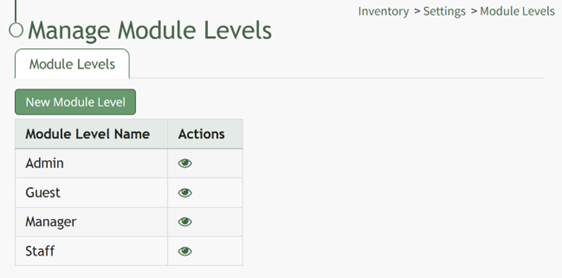
There are four base Module Levels with default permissions in the Inventory Module that cannot be altered by the user:
Inventory Module - Module Level Permissions Table | |
Module Level | Permissions |
Admin | Manage inventories (Create, view, edit, delete inventory), Manage inventory databases, view stock log, manage roles, manage permissions, Manage stock (Can adjust) |
Guest | N/A |
Manager | Manage inventories (Create, view, edit, delete inventory), Manage inventory databases, view stock log |
Staff | Manage inventories (view inventory, view stock log), can adjust manage stock |
Module Levels can be created.
Module Level Customization Icons | |
Icon | Explanation |
| The eyeball icon allows you to view users assigned to the module level as well as the permissions assigned to them. |
| The bulleted list icon allows you to assign permissions to customized module levels. |
| The pencil icon opens the Edit Module Level Modal. |
| The trashcan icon opens the Delete Module Level Confirmation Modal. |


