Dispatch Settings: Module Levels Tab
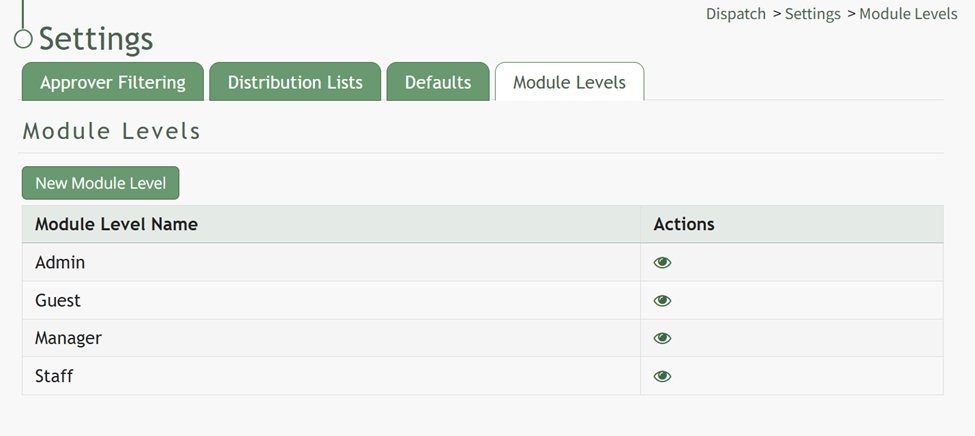
The Module Levels Tab of the SettingSettings Page allowscan be accessed from the userMain to customize and designate permissions for the Dispatch Module.Menu. The tabsystem shows thedefault module levels for the module are visible in the Module Levels Table. New module levels with customizable permissions can be created and managed on this tab.
There are four system default module levels associated with the Dispatch Module. SelectingAn theexplanation eyeball icon opens a modal that identifiesof the permissions granted to the users associated with each role.
Therelevel are four base Module Levels with default permissionsshown in the Dispatch Module thatLevel Permissions Table below.
System default module levels cannot be altered by the user. The permissions associated with each module level are listed in the table below.customized.
Dispatch | |
Module Level | Permissions |
Admin | Manage roles (role permissions, assign hidden roles, delete / edit / view / add roles), Distribution Lists (delete / edit / list distribution lists), Approve Filtering, Defaults, Distribute, Dispatches (upload / download document, edit / add attachement, delete / edit / add waypoint, edit waypoint status, view log / qr code / pdf, edit / view / new / delete dispatch, set any dispatch status, attach to pdf, create action group, add form entry, list manage permissions, send to dist list, edit / delete activity, edit activity status |
Guest | View Log, View PDF, View Dispatch |
Manager | Dispatches (upload / download document, edit / add attachement, delete / edit / add waypoint, edit waypoint status, view log / qr code / pdf, edit / view / new / delete dispatch, set any dispatch status, attach to pdf, create action group, add form entry, list manage permissions, send to dist list, edit / delete activity, edit activity status |
Staff | View Log, View QR code, View PDF, View Dispatch |
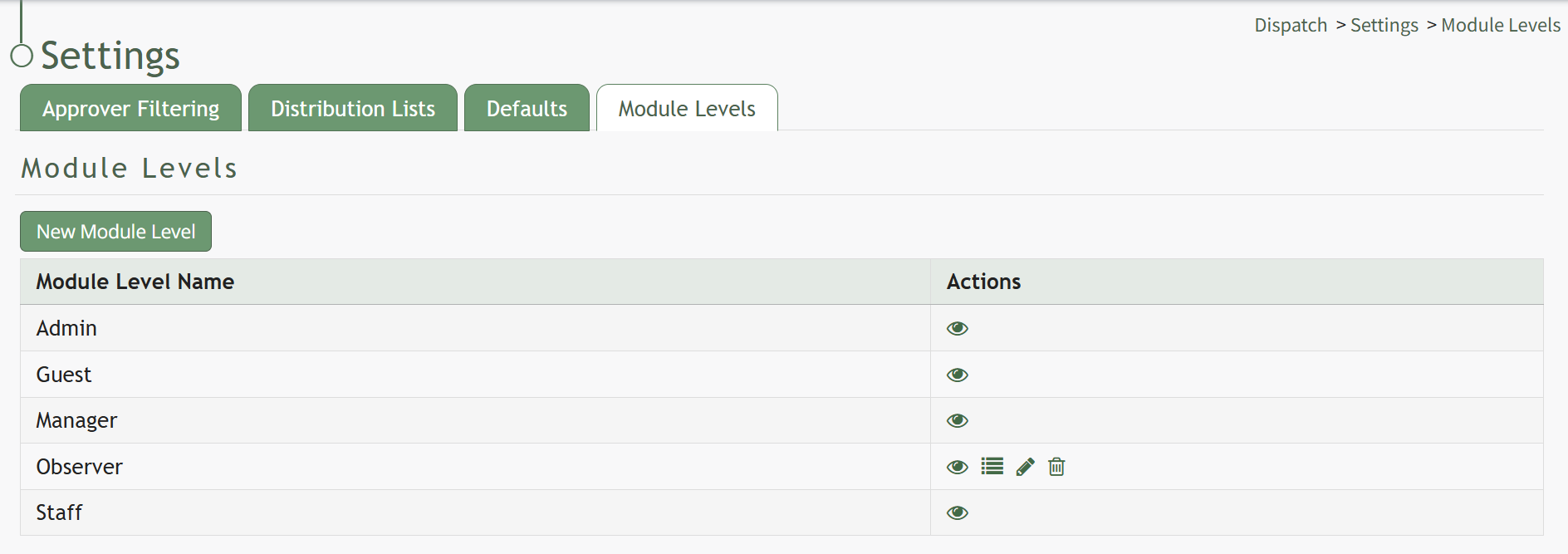
New Module Levels can be created in order to customize module level permissions forto suit your organization.organization's needs. An explanation of the icons associated with customized module levels have been provided in the table below.
How To: Create a New Module Level (Dispatch Module)
{{@683}}
Module Level Customization Icons | |
Icon | Explanation |
| The eyeball icon allows you to view users assigned to the module level as well as the permissions assigned to them. |
| The bulleted list icon allows you to assign permissions to customized module levels. |
| The pencil icon opens the Edit Module Level Modal. |
| The trashcan icon opens the Delete Module Level Confirmation Modal. |



How To: Create a New Module Level (Dispatch Module)
{{@683}}
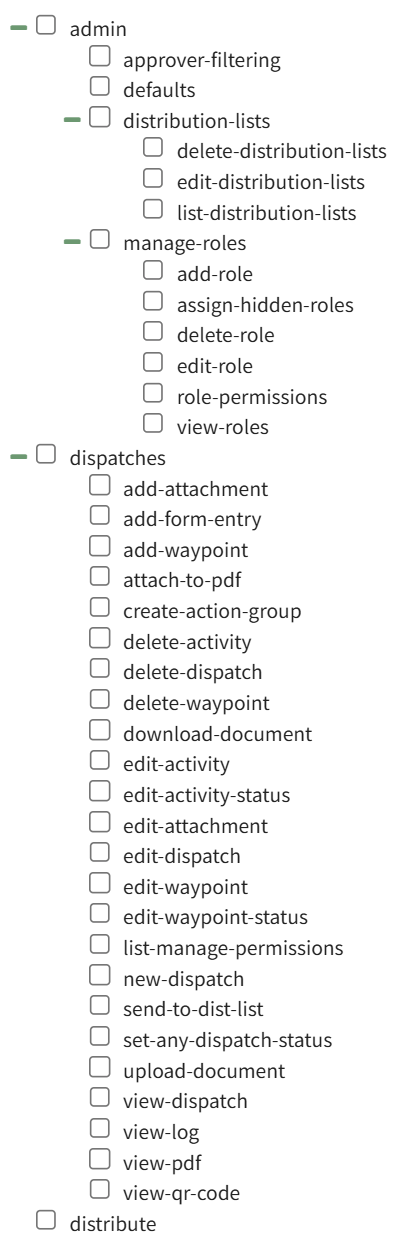
A complete list of all permissions associated with the Dispatch Module have been provided below.