Module Summary
The Dashboard is a visual representation of the data stored in KAStrack modules that is pertinent to a user’s account. Dashboard is the default login screen unless modified in the user profile.
How To: Customize Your Default KAStrack Login Screen
{{@123}}
The Dashboard is fully customizable for user preference, allowing at-a-glance visualization of any outstanding or upcoming action items and any alerts the user has set. Multiple dashboards can be created if desired.
The dashboard does not show company wide information beyond what is relevant to an individual account.
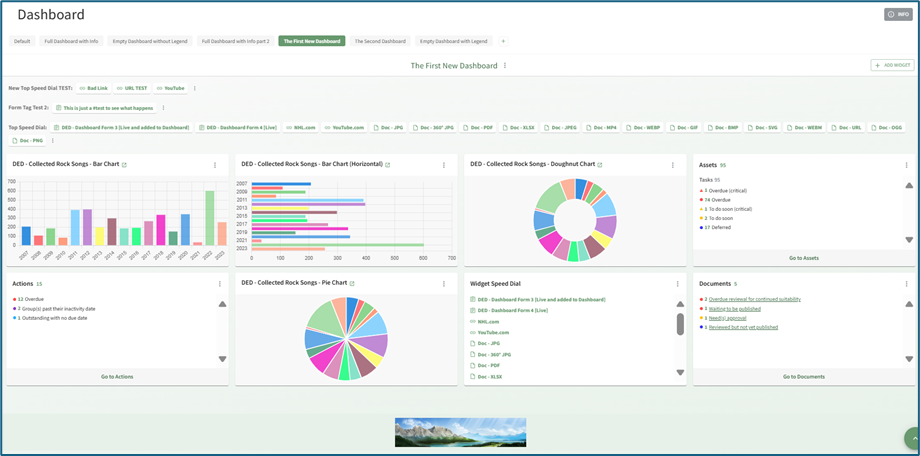
Dashboard Title Tabs can be dragged and dropped for placement, and the order will be reflected on the Main Menu. Widget placement can also be altered by clicking the header and dragging and dropping.
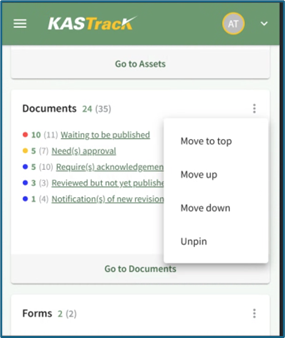
When accessing the web-based KAStrack site on a mobile device (not the app), tablet, or Surface laptop, you will not be able to change the placement of widgets through the drag and drop feature.