
Companies Page
The Companies Page in the People Module can be accessed from the Main Menu. It is comprised of two tabs: the Companies Tab sand the Create Company Tab.
The Companies Tab on the Companies Page
The Companies Table on the Companies Page shows a list of companies that have been created, along with a clickable URL, If applicable. A URL associated with the company will display in the right column. If no URL has been added, the URL cell for that company will be blank.
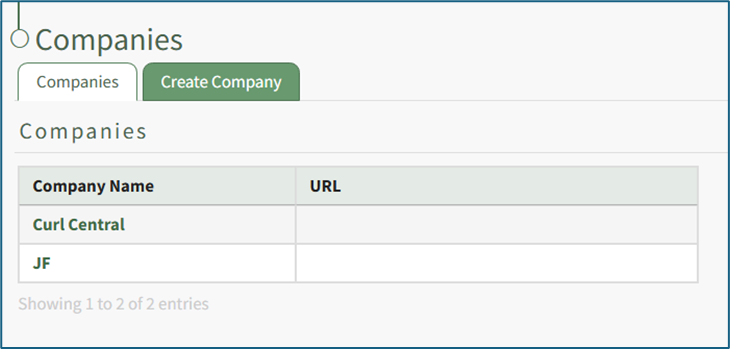
Clicking on the name of a Company will open the specific company's Details Page that displays the Company Roles with any included descriptions of the Certification Roles. If no description was added, the description cell for that role will be blank.
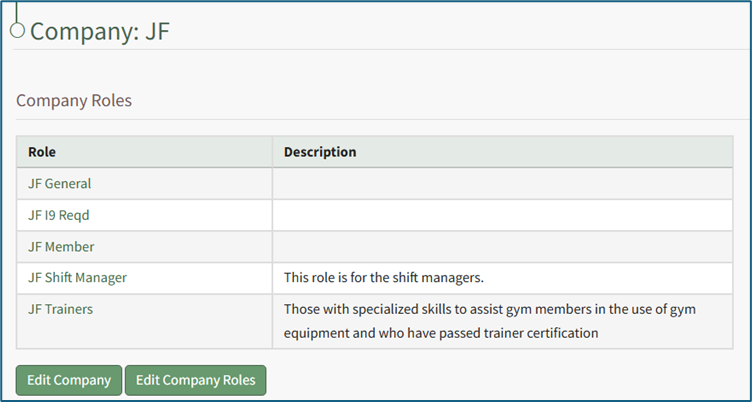
The Certification Role Name in the Company Roles Table is a clickable link that will open the Assigned Users Tab on the Roles Page. WIKI LINK ASSIGNED USERS TAB ROLES PAGE
Both a company's information and company roles can be edited directly from a company's specific Details Page.
How To: Edit Company Information
{{@427}}
How To: Delete a Company
WIKI LINK HOW TO EDIT A COMPANY{{@425}}
How To: Define the Certifications Assigned to a Company's Certification Roles
{{@424}}
How To: Edit a Company Specific Certification Role Description
WIKI LINK HOW TO DELETE A COMPANY{{@430}}
WIKI LINK HOW TO EDIT COMPANY ROLES
WIKI LINK HOW TO DEFINE COMPANY ROLES
The Create Company Tab on the Companies Page
The Create Company Tab on the Companies Page allows users to create new companies directly on the tab.
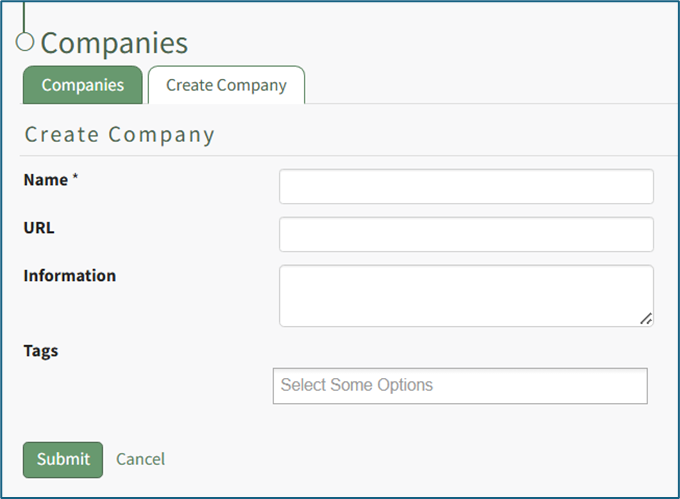
After clicking the Submit button, the new company will show in the Companies Table on the Companies Page.
How To: Create a New Company
WIKI LINK HOW TO CREATE A NEW COMPANY{{@420}}