
Certification Roles Page
The Certification Roles Page (Roles) is available in the People Module on the Main Menu. When selected, the Certification Roles Page opens allowing individuals with permission to input all user certification roles and to organize certifications according to roles/department.
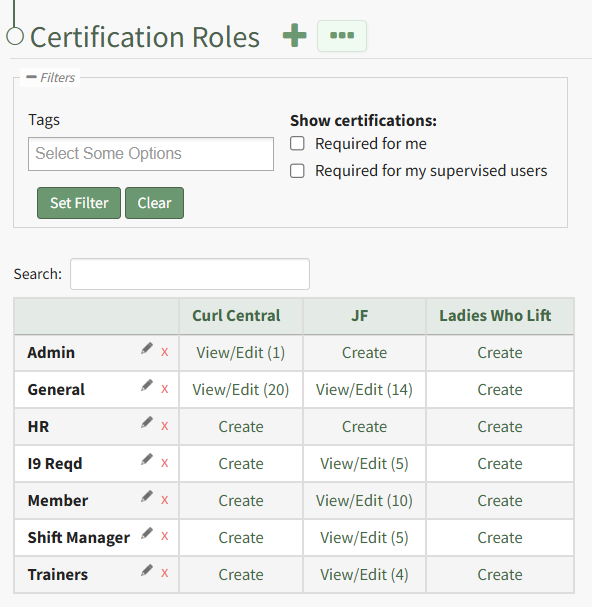
Within KAStrack, the term “Certification Role” pertains to what role an employee has within a company, or what department / grouping they’re associated with. A user can have one role, multiple roles, or none. Certification roles are utilized to make setup, organization, asset responsibility and resource access simpler. In the People Module, roles can be utilized to assign Certification requirements to groups of users in similar positions.
Individuals with certification roles are not required to have certifications, which can be useful for activities such as communication, asset ownership, approvals, etc. Individuals may also have Certification requirements outside of a Certification Role, known as “Other Required Certifications”.
Understanding the Roles Page
Clicking the plus sign icon to the right of the Certification Roles header will open the Add Role Name Modal, allowing for the creation of new roles in KAStrack. WIKI LINK HOW TO CREATE AND DEFINE A CERTIFICATION ROLE
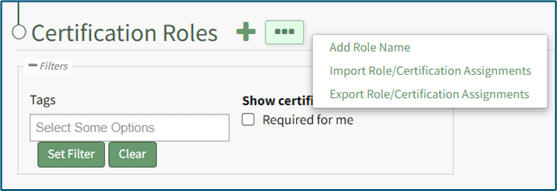
Selecting the three-dot icon in the header row opens the Certification Roles Page Content Menu. The options on the context menu are explained in the table below.
Certification Roles Page Context Menu Option Explanations | |
Option | Explanation |
Add Role Name | Selecting the Add Role Name option from the context menu opens the Add Role Name Modal, initiating the same action as the plus sign icon in the header row. WIKI LINK HOW TO CREATE AND DEFINE A CERTIFICATION ROLE |
Import Role/Certification Assignments | Selecting the Import Role/Certification Assignment option from the context menu opens the Import Roles/Certification Assignments Page, which provides a downloadable template with current assignments and enables the upload of a CSV file. WIKI LINK HOW TO IMPORT ROLES/CERTIFICATION ASSIGNMENTS |
Export Role/Certification Assignments | Selecting the Export Role/Certification Assignments option from the context menu opens the Export Role/Certification Assignments Modal that requires a user to click "Export" before downloading the role/certification assignments to your personal device. WIKI LINK HOW TO EXPORT ROLE/CERTIFICATION ASSIGNMENTS |
The filter section on the Certification Roles Page allows you to filter roles by tags. Checkboxes allow an individual to show certifications "Required for me" or to show certifications "Required for my supervised users".
The Certification Roles Table lists all certification roles (rows) and all companies (columns) created in KAStrack.
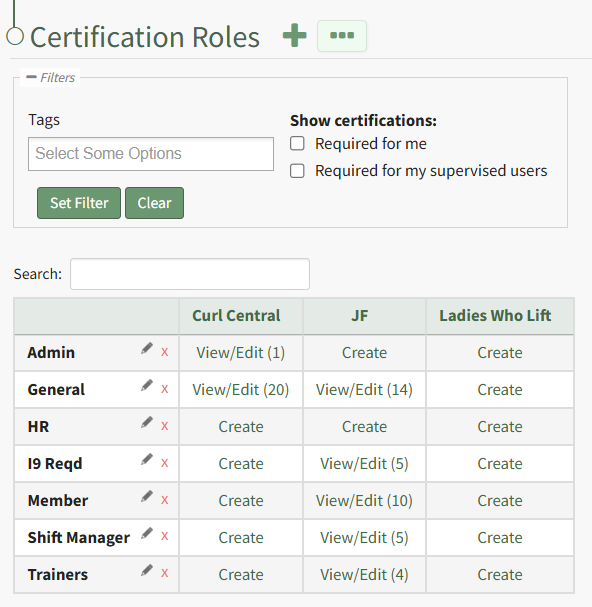
Role names can be edited or deleted within this table by clicking the pencil icon (to edit) or the “X” icon (to delete). WIKI LINK HOW TO CHANGE A CERTIFICATION ROLE NAME
WIKI LINK HOW TO PERMANENTLY DELETE A CERTIFICATION ROLE
Each cell in the Certification Roles Table is a clickable link. If a certification role has not yet been defined for a company, the clickable link states Create. Selecting this open opens the Define Role Page for the specified certification role. WIKI LINK HOW TO
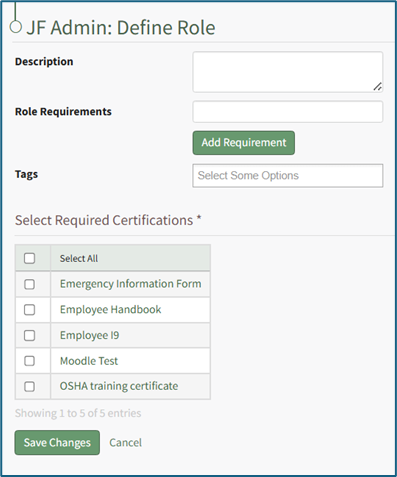
Once the role has been defined, the Certifications Role Table will display a clickable link to "View/Edit (#)". The number in parenthesis indicates the number of users that have been assigned to the specific certification role. When clicked, the system opens a specific certification role's Details Page. There are three tabs associated with a Role Details Page. Each are briefly explained in the table below.
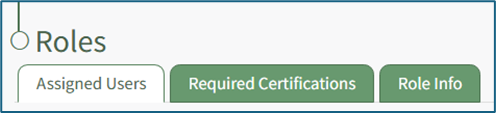
Roles Details Page Tab Summary Explanation | |
Tab | Explanation |
Assigned Users Tab | The Assigned Users Tab on the |
Required Certifications Tab | The Required Certifications Tab on the |
Role Info Tab | The Role Info Tab on the certification role's Details Page states the description, role requirements and tags associated with a certification role, as well as competency settings for the Certification Role |
Review the Certification Role Details Page in the User Manual for a more detailed explanation.