
View Task Details
To view the details of a specific asset task, open the Task Schedule Page for the asset that contains the task you wish to view. WIKI LINK HOW TO VIEW AN ASSET'S TASK SCHEDULE PAGE
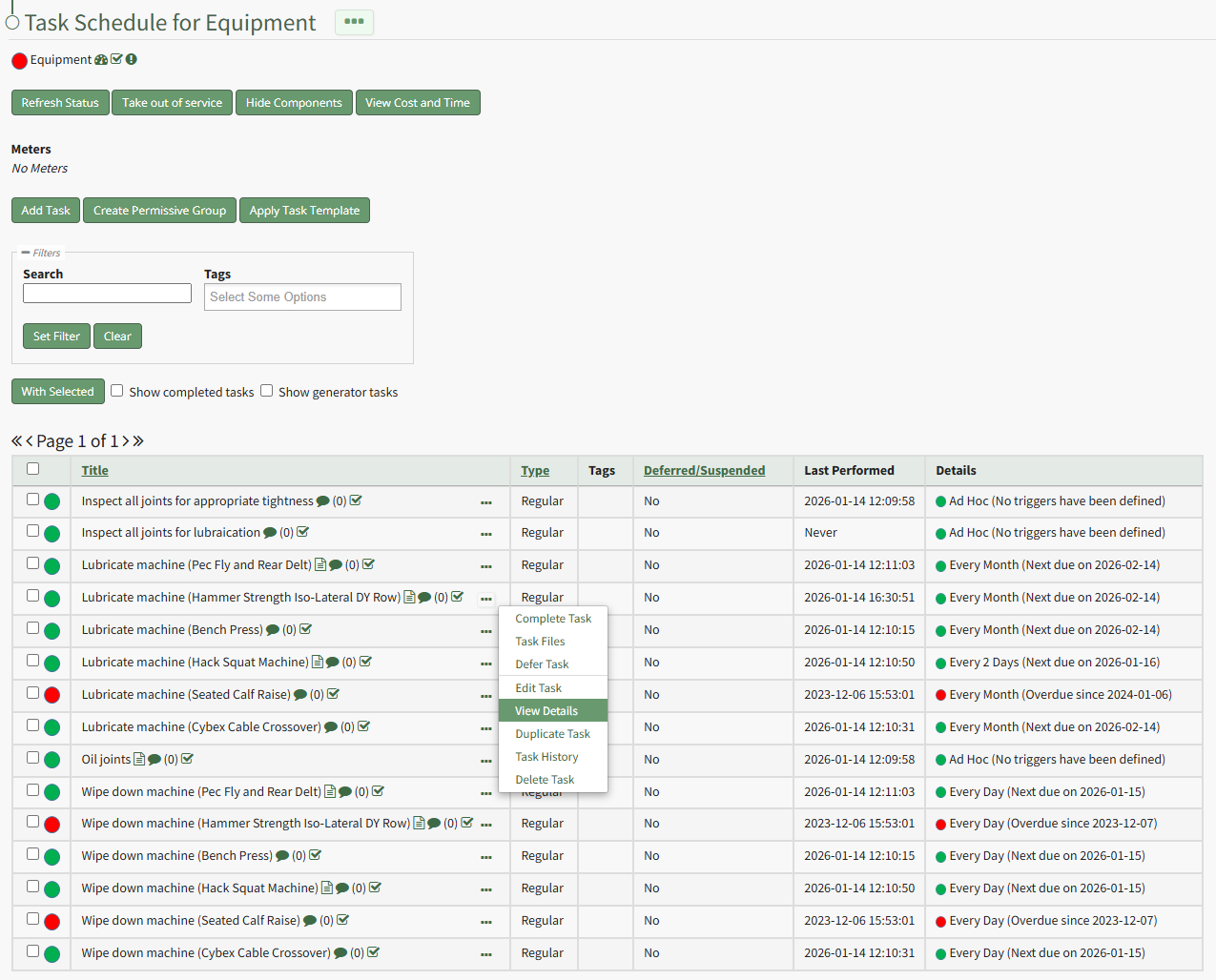
Select the three-dot icon to the right of the task whose details you wish to view opening the Task Management Context Menu. Select "View Details" from the context menu opening the View Task Modal.
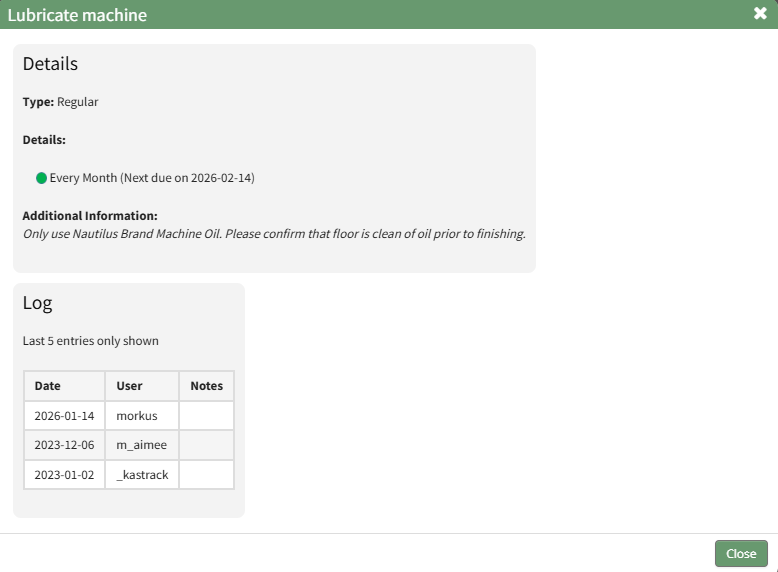
This read-only modal displays the task type, trigger details, additional information, and a log of the last five entries. Select the "Close" button at the bottom of the modal to return to the asset's Task Schedule Page.