
Upload Files to An Action
Files cannot be uploaded through the Edit Action Modal.
To upload a file to an action, click on an action title opening the individual action’s summary page.
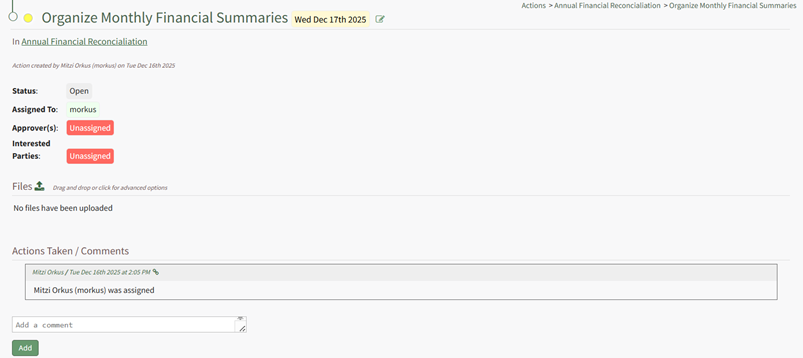
Clicking on the upload icon to the right of the Files Section header opens the Upload File modal.
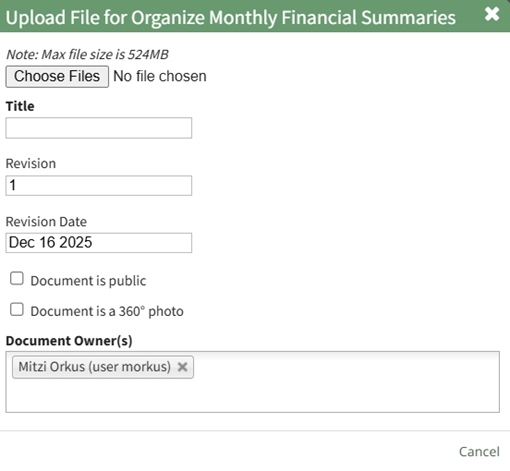
Select the file to be uploaded to the action by clicking the “Choose Files” button and selecting the desired file. Create a Title for the file, indicate the revision number, revision date, and select the checkbox if the document is to be public or if it is a 360degree photo. Add document owners.
Select “Save” and the file will now show on the individual action page.