
Edit the Roles Associated with a Certification
To edit the roles associated with a certification, select Certifications in the People Module from the Main Menu opening the Certifications Page.
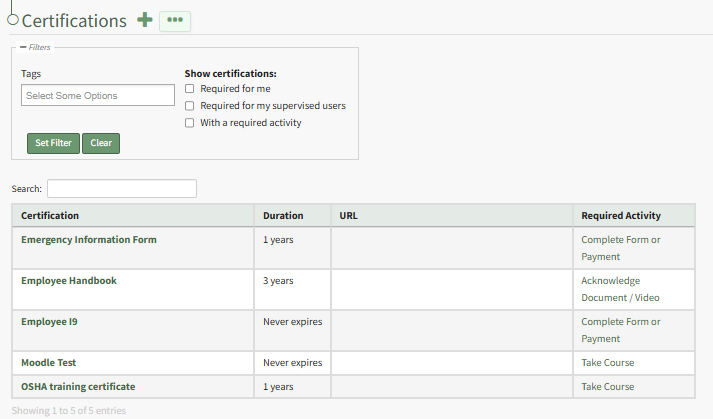
Click the certification name in the Certifications Table to open the certification's Details Page. Open the Associated Roles Tab to see a list of the Roles that have been assigned a specific certification.
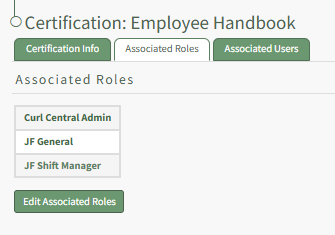
Select the “Edit Associated Roles” button to open the Edit Associated Roles Table.
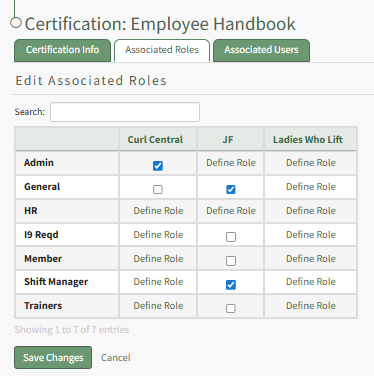
Role names are shown along the left side in the first column. The column headers refer to the names of Companies that have been established on the Companies page of the People Module. Selecting checkboxes in the table will add Certification Requirements for the Selected Roles. Deselecting the checkbox will remove the certification requirement from the associated certification role.
Select “Save Changes” and the associated roles will show in alphabetical order on the Associated Roles Table on the Associated Roles Tab.