
Edit Course Properties
To edit a course, open the Courses Module Home Page from the Main Menu and select the three three-dot (…) icon to the right of the course you wish to edit opening the courseCourse contextContext menu.Menu.
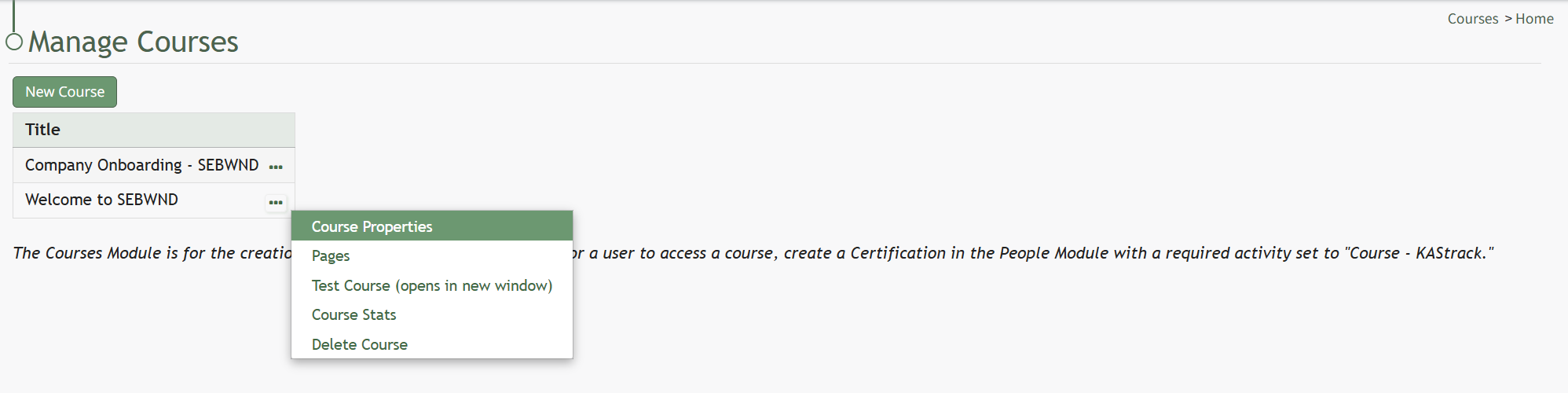
Selecting “Course Properties” from the context menu opens the Course Properties Modal which allows thea user to edit the original parameters that were selected when the course was created.
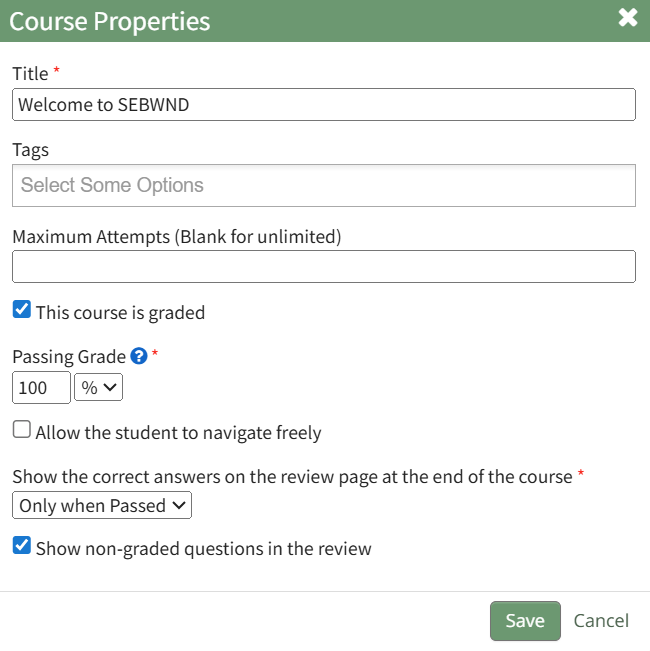
ThisThe selectionCourse re-opensProperties Modal displays the same options as in the “New Course”Course modalModal towhich changeare explained in more details on the courseHow name,To tags,Create settingsa forNew grading,Course and post course review.below.
How To: Create a New Course
{{@233}}