
Edit a QR Code
To edit a custom QR Code, open the QR Code Page in the Communications Module from the Main Menu.
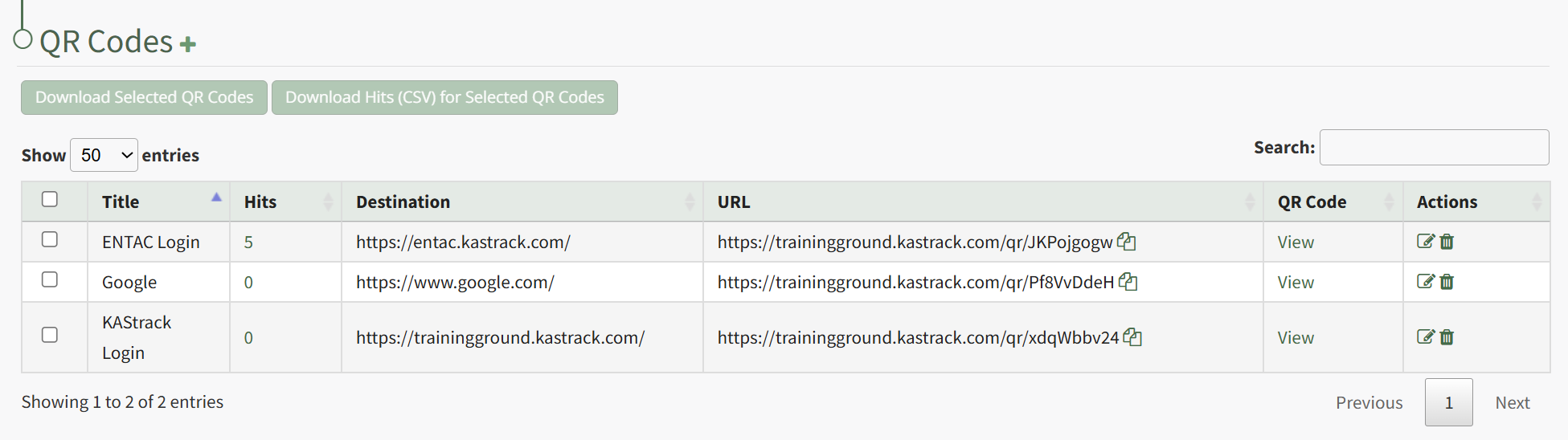
Click the page and pencil icon in the Actions Column to the right of the QR Code you want to edit, opening the Edit QR Code Modal.
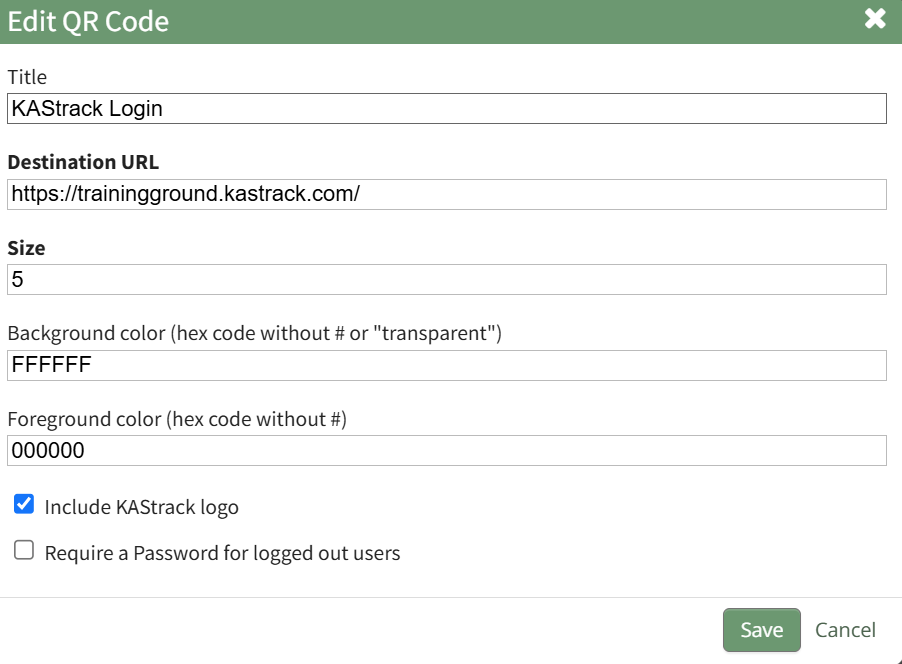
Make the desired changes to the QR Code and click the Save button. The system returns you to the QR Codes Page.