
Edit a Form
To edit a form, go to the Home Page in the Forms Module. Click the three-dot icon to the right of the form you wish to edit opening the specific form’s context menu. Select “Edit Form”.

This opens the “Edit Form Modal”.
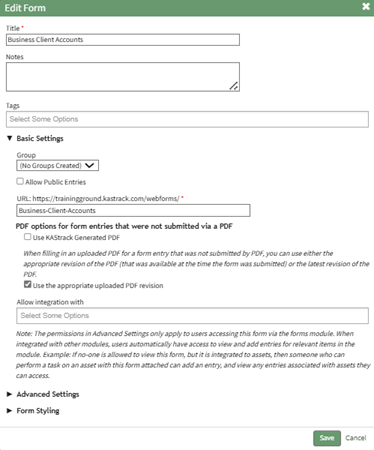
Confirm you wish to edit the form by clicking the “Save” button. Selecting “Cancel” will return you to the Forms Home Page.