
Edit a Database
To edit a database, go to the Home Page in the Database Module.
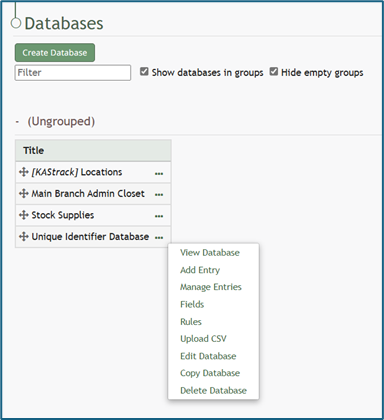
Click the three dot (…) icon to the right of the database you want to edit to open the context menu. Select “Edit Database” opening the Edit Database Modal.
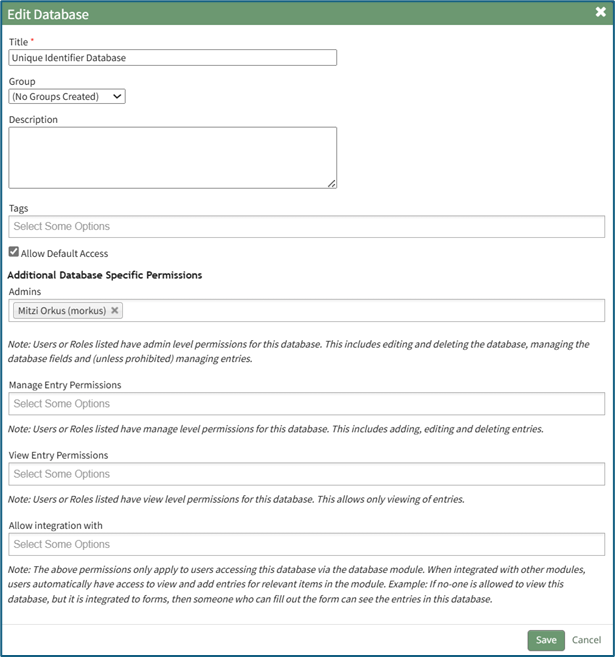
The title, groups, tags, or database description can be altered from the modal, as well as the additional database specific permissions established when the database was created.
WIKI LINK HOW TO: CREATE A DATABASE
Confirm you wish to edit the database by clicking the “Save” button.
Selecting “Cancel” will return you to the Databases Home Page without any alterations being made.