
Edit a Budget Alert
Budget alerts only exist for active budgets. To edit an existing budget alert, locate the budget whose alert you wish to edit on the Active Tab of the Budgets Page. Click the bell icon in the Actions column of the budget table.
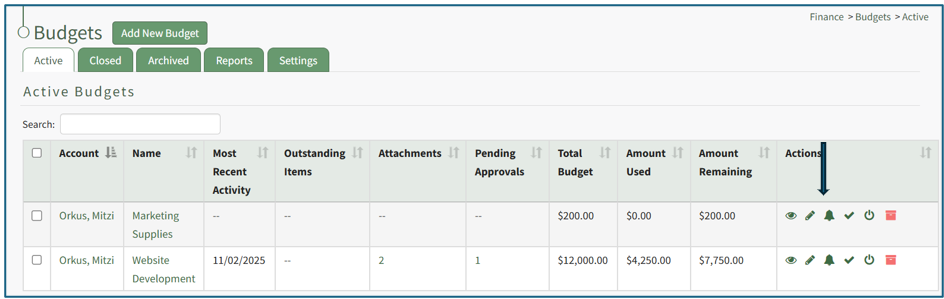
This opens the Edit Alerts Modal which will show any existing alerts.
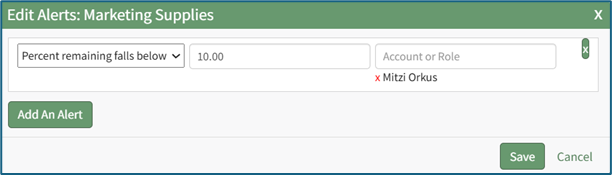
Make the desired changes to the alert. An alert can be based on when the amount remaining in the budget falls below a specified amount or when the amount remaining in the budget falls below a specified percent.
Select the “Save” button and return to the Active Tab of the Budgets Page.