
Delete Multiple Tasks Simultaneously on the Task Schedule
To delete multiple tasks on a task schedule at the same time, open the Task Schedule you wish to edit in the Assets Module. WIKI LINK HOW TO VIEW AN ASSET'S TASK SCHEDULE
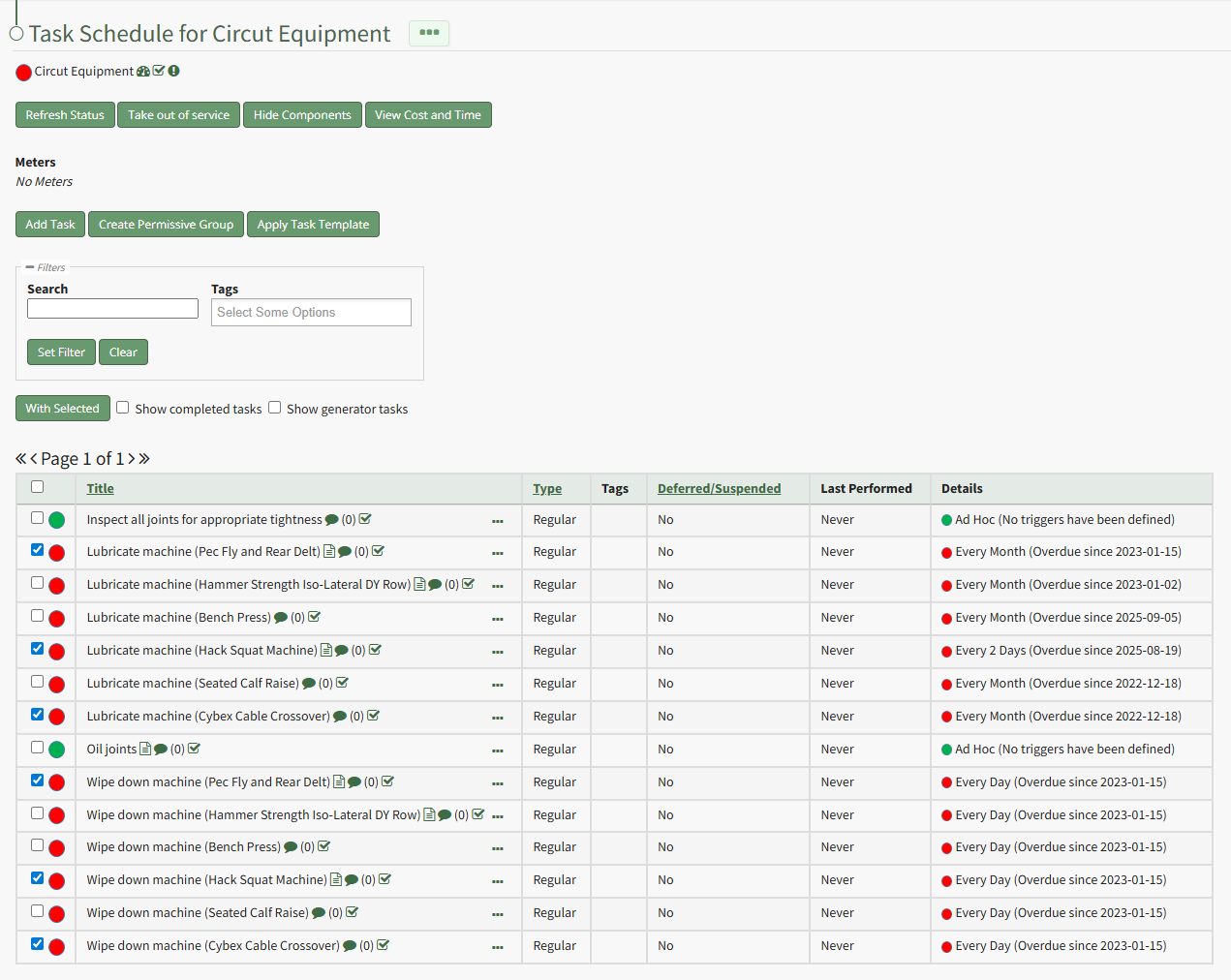
Select the checkboxes for all tasks you wish to delete from the task schedule and click the "With Selected" button above the Task Schedule Table opening the With Selected Tasks Modal.
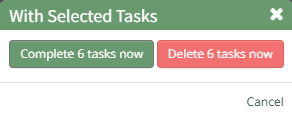
Click the "Delete # Tasks Now" button opening a confirmation modal which states, "Are you sure you wish to delete these tasks?"

Click the "OK" button and a popup confirms the number of tasks deleted.
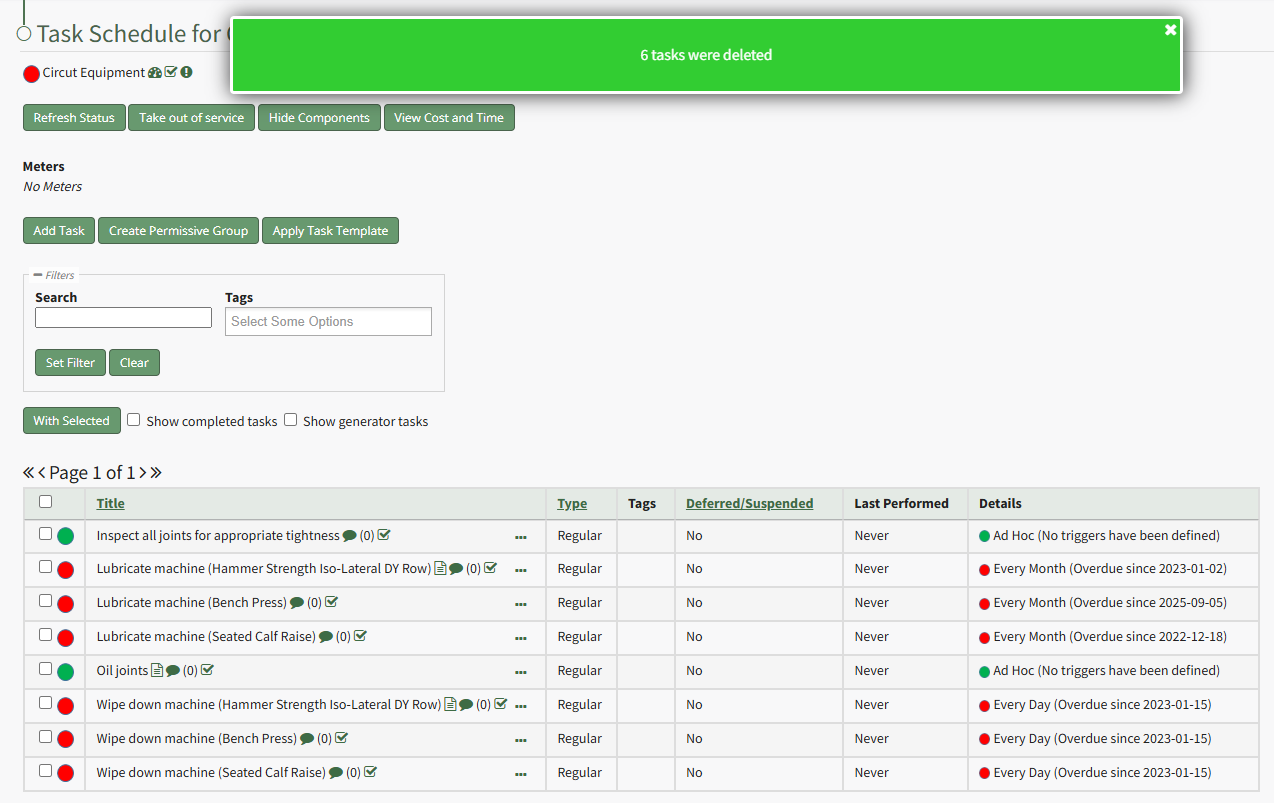
The deleted tasks no longer show in the Task Schedule table.