
Create a New Module Level (Documents Module)
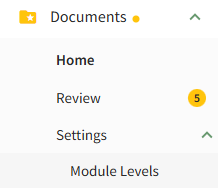
SelectingTo “Newcreate a new Module Level”Level with customized permissions in the Documents Module, select Module Levels under Settings in the Documents Module on the Main Menu, opening the Settings Page opensto the Module Level Tab.
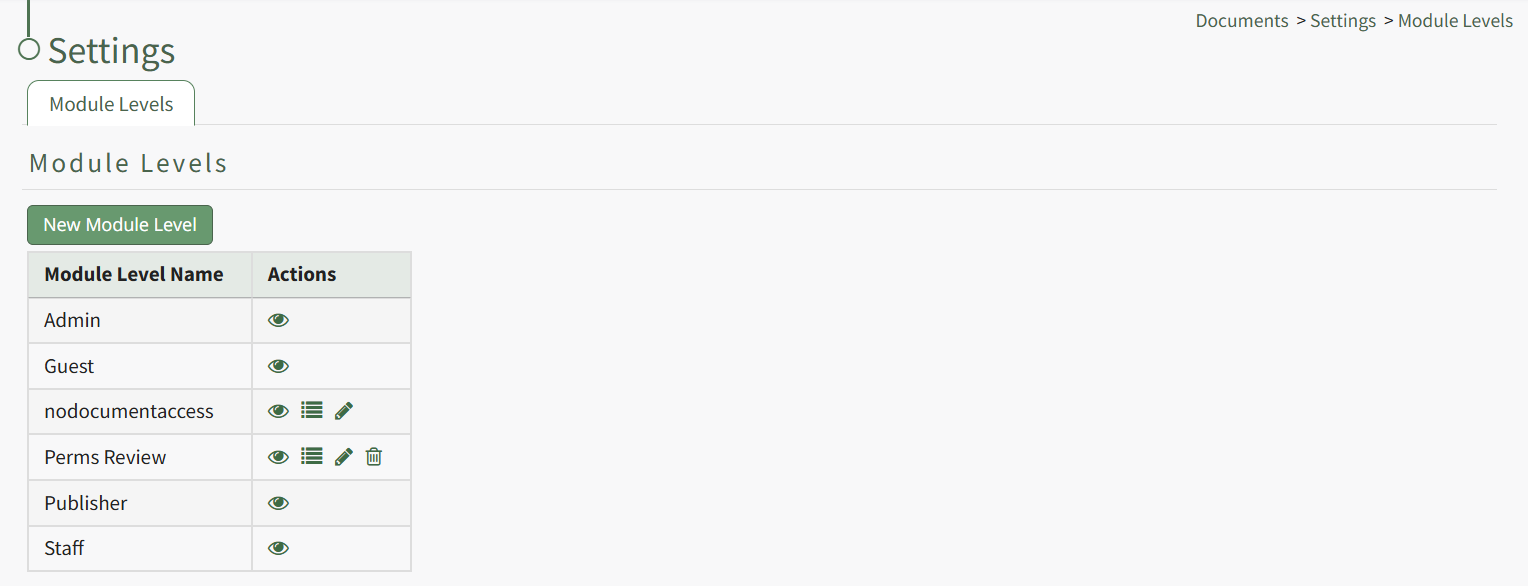
System default module levels cannot be customized. Module levels that are specific to your organization have additional actions to enable customization.
To create a new module level, select the New Module Level modal.button opening the New Module Level Modal.
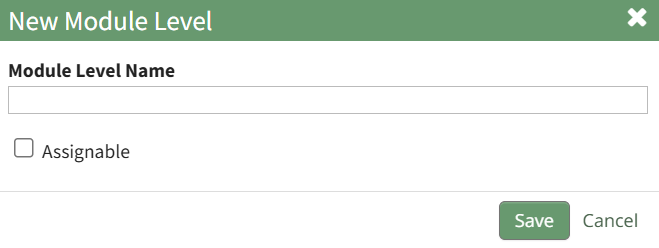
Input the name of the customized module level.
Check the box for Assignable,Assignable soto thatgive permission for the new module level is able to be assigned to users,users thenif selectdesired “Save.”and click the Save button. Module levels will be listed alphabetically.alphabetically in the Module Level Table.
Users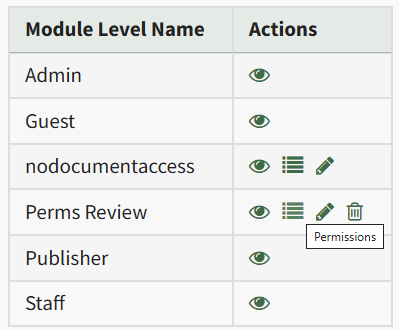
Select the Permissions icon (the bullet point list to the right of the eye) in order to assign the permissions,customized permissions to the new Module LevelLevel. would have withinClick the Documentscheckbox Module.to the left of the permissions you want to assign.
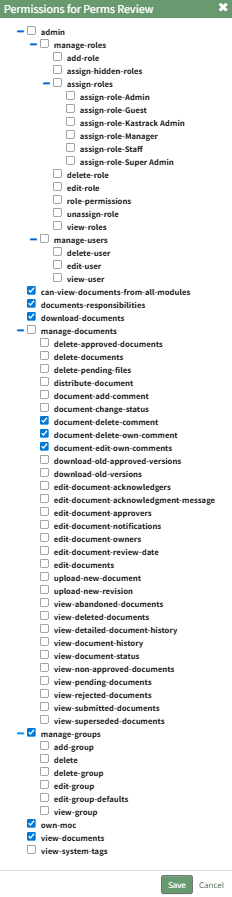
Select the Save button.

A pop-up confirms that the permissions were saved.
Access levels for all modules can also be managed in the Site Settings Module on the Access Levels Tab.