
Create a New Module Level (Courses Module)

Selectingcreate “Newa new module level in the Courses Module, open the Module Level”Level Tab on the ManageSettings Page from the Main Menu.
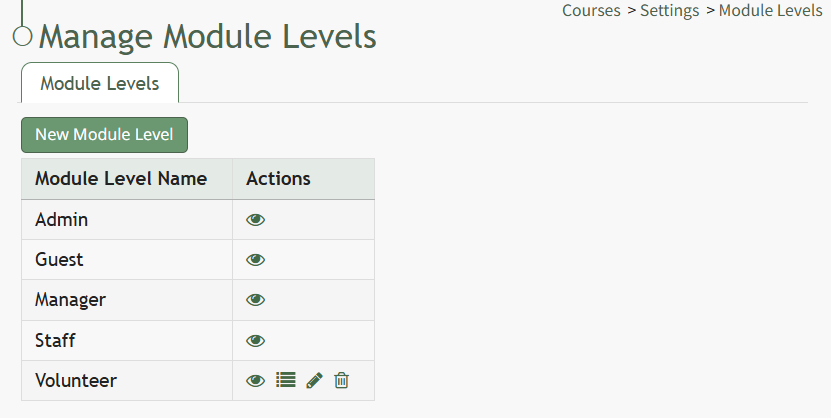
Click the "New Module LevelsLevel" pagebutton.
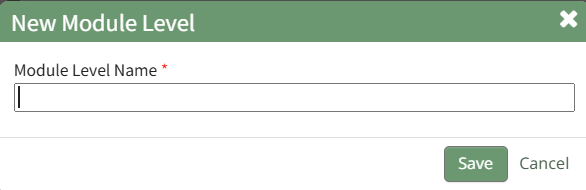
This opens the New Module Level modal.Modal. Input the name of the customized model level and select “Save.” Module levels will be listed alphabetically.alphabetically in the Module Level Table.

Users have administrative controls for customized module levels. Select Permissions (the bullet pointbulleted list permissions icon from the Actions Column to the right of the eye)new inmodule orderlevel.
Module Level Customization Icons | |
Icon | Explanation |
| The eyeball icon allows you to |
| The bulleted list icon allows you to assign permissions to customized module levels. |
| The pencil icon opens the |
| The |


This opens the Permissions Modal. Select the desired permissions that you want assigned to the new Module Level.

Click "Save" after selecting the desired permissions.
Access levels for all modules can also be managed in the Site Settings Module under Access Levels.