
Create a New Module Level (Accounts Module)
There is no Settings Page for the Accounts Module. You must use the Site Settings Module to access and manage Module Levels for the Accounts Module.
To create a new Module Level for the Accounts Module, go to the Access Levels Tab in the Site Setting Module through the Main Menu.

Click Accounts under the Access Levels header.

This opens the Accounts Module Level Table.
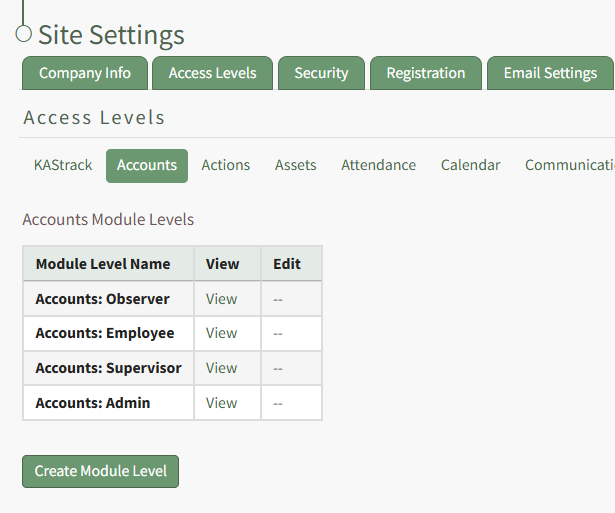
Click the Create Module Level button opening the Create New Accounts Module Level Page within the Site Settings Module.
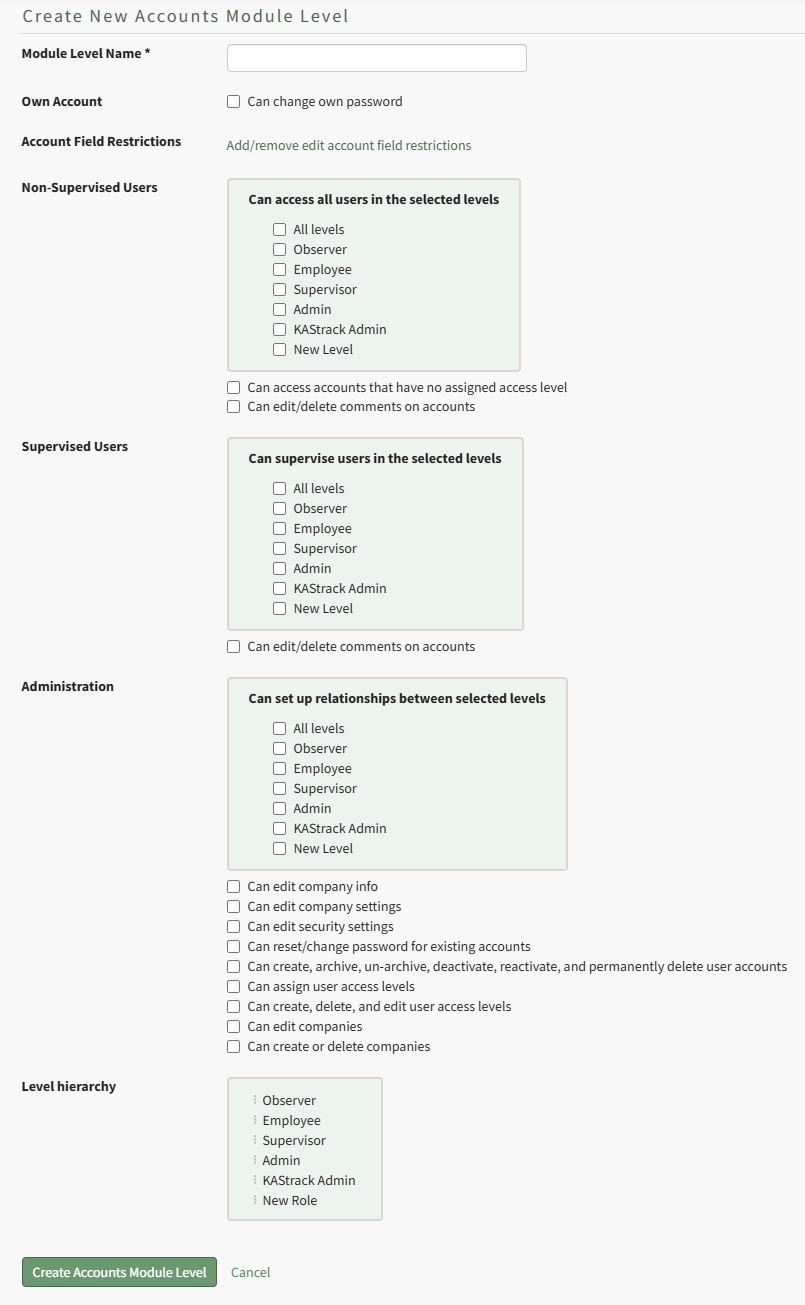
Input the title of the new module level.
Account field restrictions can only be edited after the module level has been created.
Select the permissions you want to be assigned to the new module by selecting the appropriate checkboxes. A list of all possible permissions have been included in the table below.
Comprehensive List of Accounts Module Level Permissions | |
Permissions | |
Own Account | Can change password |
Non-Supervised Users | Can access all users in the selected levels: All levels, Observer, Employee, Supervisor, Admin, KAStrack Admin, New Level; Can access accounts that have no assigned access level; can edit/delete comments on accounts |
Supervised Users | Can supervise users in the selected levels: All Levels, Observer, Employee, Supervisor, Admin, KAStrack Admin, New Level; Can edit/delete comments on accounts |
Administration | Can set up relationships between selected levels: All Levels, Observer, Employee, Supervisor, Admin, KAStrack Admin, New Level; Can edit company info; Can edit company settings; Can edit security settings; Can reset/change password for existing accounts; Can create, archive, un-archive, deactivate, reactive, and permanently delete user accounts; Can assign user access levels; Can create, delete, and edit user access levels; Can edit companies; Can create or delete companies |
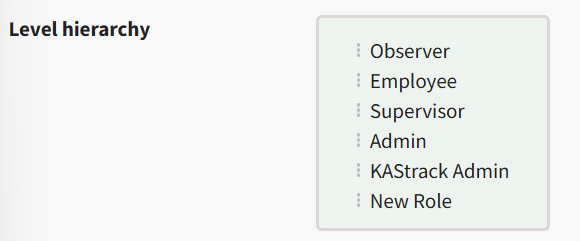
You can drag and drop the module levels, impacted the hierarchy of how they are displayed in the Module Level Table on the Access Levels Tab. Click the Create Module Level Button on the bottom of the page and it will now be visible on the Accounts Module Levels Table.