
Create a New Module Level (Accounts Module)
There is no Settings Page for the Accounts Module. You must use the Site Settings Module to access and manage Module Levels for the Accounts Module.
To create a new Module Level for the Accounts Module, go to the Access Levels Tab in the Site Setting Module through the Main Menu.

Click Accounts under the Access Levels header.

This opens the Accounts Module Level Table.
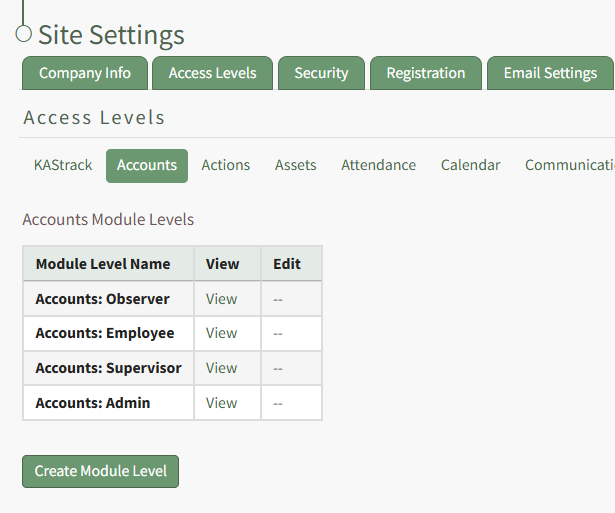
Click the Create Module Level button