
Create a Meter Type
To create a new meter type, open the Meter Types Tab on the Settings Page of the Assets Module.
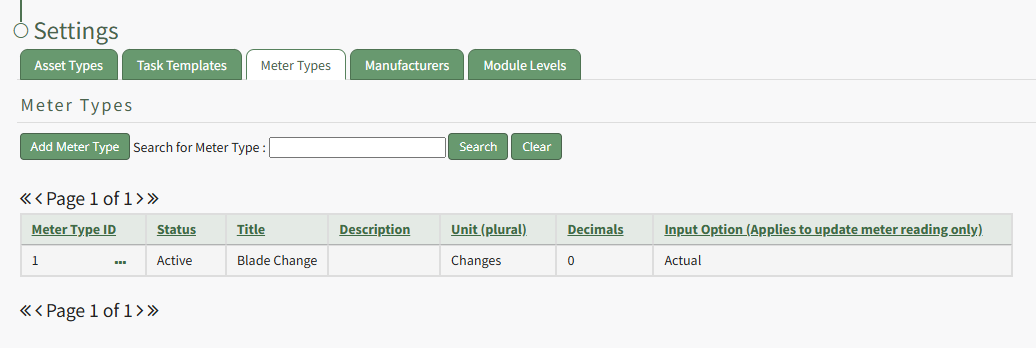
Select “Add Meter” opening the New Meter Type Modal.
This opens the New Meter Type modal.
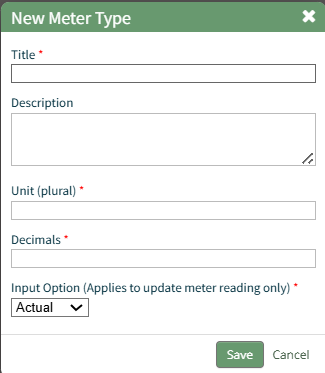
Input the desired meter type title and description.
Include the units associated with this meter type.
Meter units should always be entered in plural form.
Input an integer to determine the number of place values after the decimals you would like recorder. Input 0 if you do not want to see any values after the decimal.
The Input Option dropdown menu has three options: Actual, Elapsed, Both. If you select both, a user can input the actual reading and elapsed value will be calculated. A user can also input the elapsed reading and the actual will be calculated.
Select the “Save” button and the New Meter Type will be created and now shows on the Meters Tab on the Settings Page of the Assets Module.