
Copy and Rename a Task
To copy a task, open the Task Schedule Page for the asset that contains the task you wish to copy.
How To: View an Asset's Task Schedule
WIKI LINK HOW TO VIEW AN ASSET'S TASK SCHEDULE PAGE{{@776}}
Click the three-dot icon to the right of the task you wish to copy opening the Task Management Context Menu.
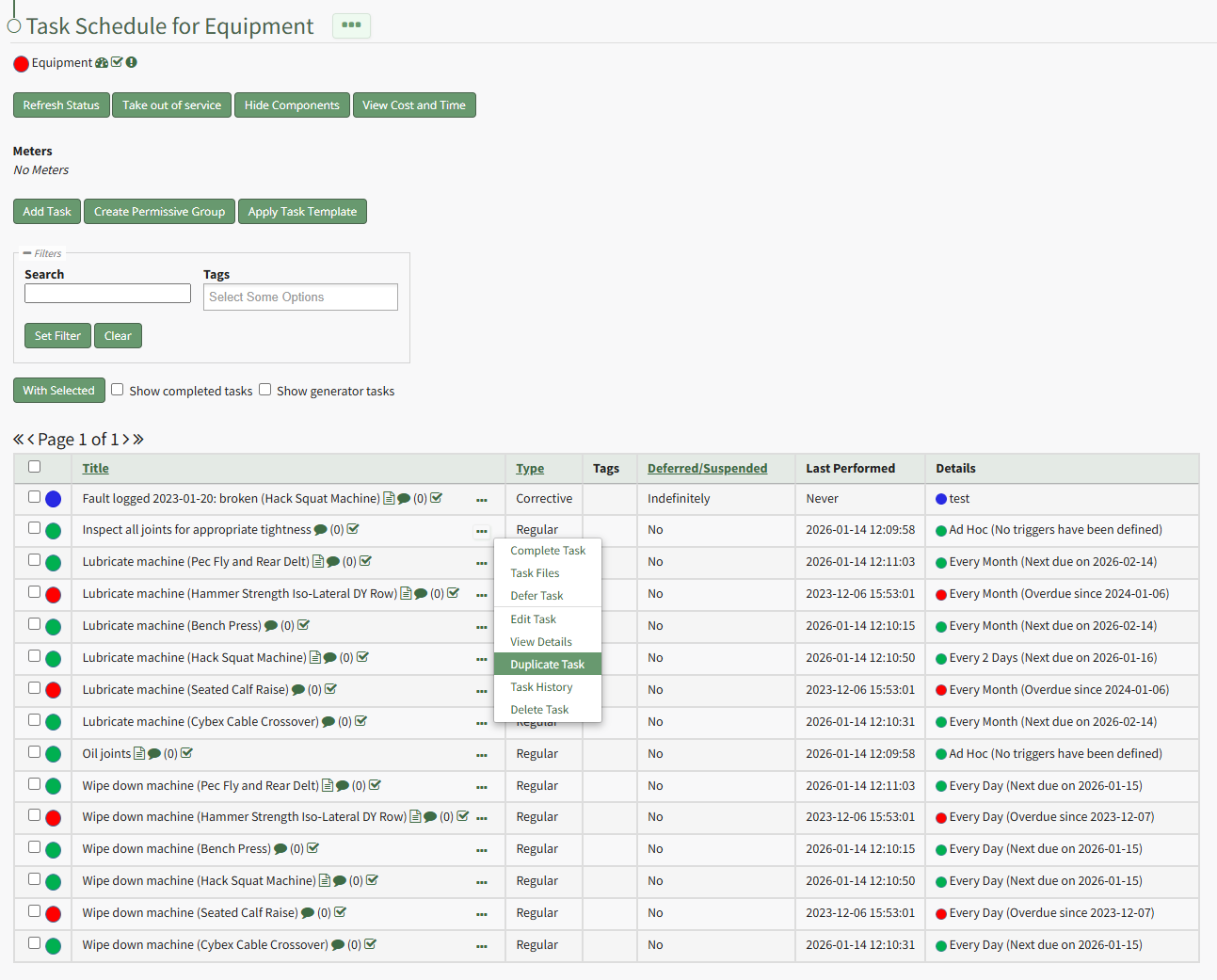
Select "Duplicate Task" opening the Copy Task Modal.
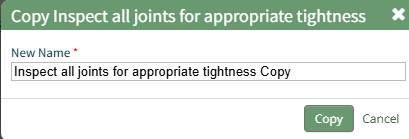
Edit the title of the task being copied and select the "Copy" button.
The newly copied task now shows on the asset's task schedule.