
Copy a Database
To copy a database, go to the Home Page in the Database Module.
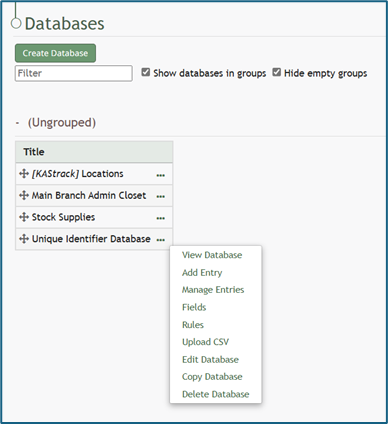
Click the three dot (…) icon to the right of the database you want to copy to open the context menu. Select “Copy Database” opening the Copy (DatabaseName) Database Modal.
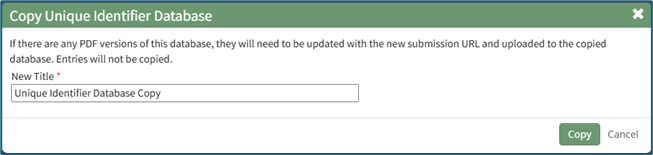
The modal will automatically create a new title, (DatabaseName) Copy, that can be altered if desired.
If there are any PDF versions of this database, they will need to be updates with the new submission URL and uploaded to the copied database. Associated entries will not be copied.
Click “Copy”.
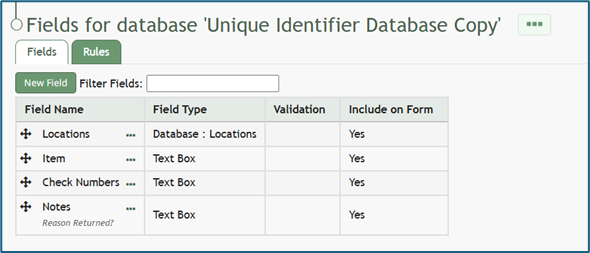
You will be directed to the Fields Table for your newly copied database.
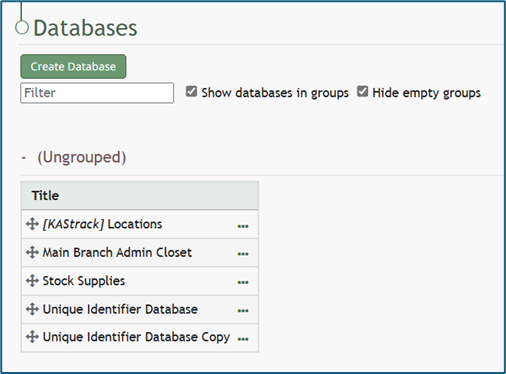
The copied database will now show in the Database Table on the Home Page.