
Copy a Course Page
To copy a page in a course, you must be on that course's Details Page. An explanation of how to access a course's Detail's Page is provided in the How To below.
How To: Access A Course's Details Page
{{@935}}
Once you are on the course's Details Page, hover your cursor over the page you wish to copy.
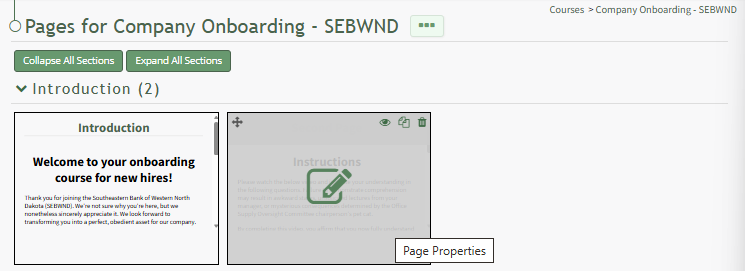
Doing so makes the icons for quick actions visible.
Click the double page icon in the top right corner of the page, opening the Copy Page Modal.
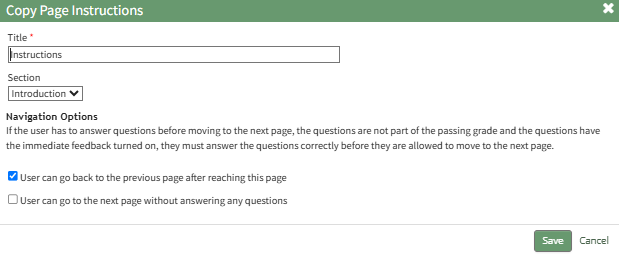
You can edit any page properties before clicking the "Save" button. The system will open the newly copied page.