
Add Actions to an Action Group Template
To add actions to an action group template, select Templates from the Actions Module Main Menu, opening the Manage Templates Page. Selecting the three three-dot icon to the right of the Action Group Template Title opens the Action Group Template Context Menu.
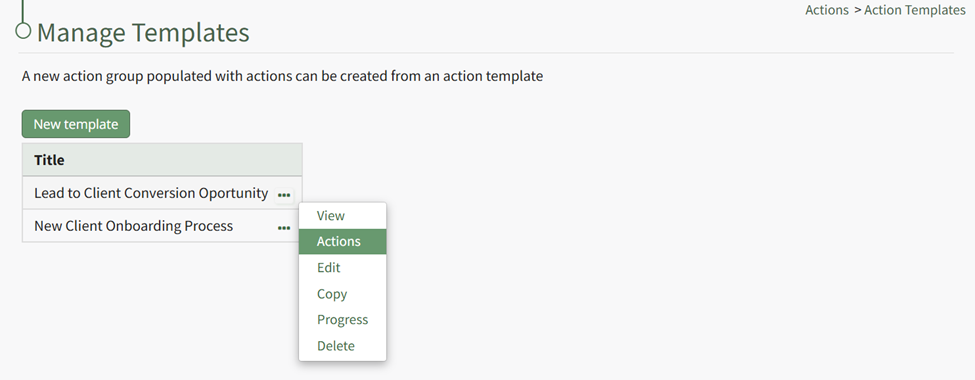
Select “Actions” from the context menu opening the Manage Actions for TEMPLATE TITLE Page.
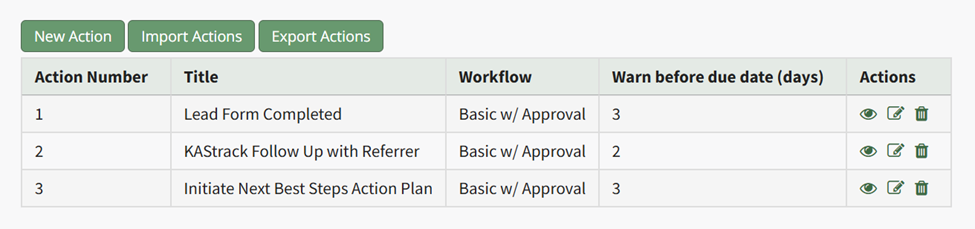
A new action can be added to the template by selecting the “New Action” button.
How To: Create a New Action
{{@600}}
A group of bulk actions can be imported from a csv file by selecting the “Import Actions” button.
How To: Import Bulk Actions
{{@601}}