
Understanding Form Aggregations
An aggregation is a report generated from form data. Form aggregations take the information from similar forms and aggregates them into one form. (For example, three monthly forms can be aggregated together to create one quarterly aggregation report.) The original forms will still exist independently after aggregation.
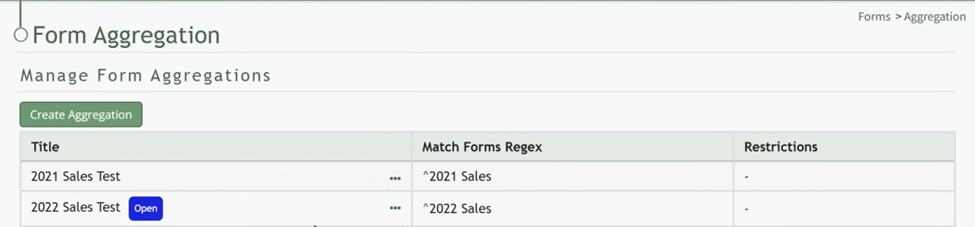
Once forms have been aggregated, new data cannot be added to the aggregation. New inputs into the forms will be taken into account when the aggregation report is rerun.
Aggregation Context Menu Explanation | |
Option | Explanation |
Run Report | Selecting “Run Report” from the context menu will run the aggregation report, opening the report of the data aggregated from the forms in the same tab. |
Edit Aggregation | Selecting “Edit Aggregations” from the context menu will open the Edit Form Aggregation Modal allowing you to make desired changes to the form aggregation. How To: Edit a Form Aggregation{{@884}} |
Delete Aggregation | Selecting “Delete Aggregation” from the context menu will open the Deletion Confirmation Modal which states the aggregation title and asks, “Are you sure you want to delete this Form Aggregation?” How To: Delete a Form Aggregation{{@883}} |