Form Settings Page
The Module Levels Tab of Settings Page incan be accessed from the FormsMain ModuleMenu. allows an individual to customize and designate permissions pertaining to the Forms Module forThe system users.
Module Levels Tab
The Module Level Tab shows the differentdefault module levels for the Databasemodule are visible in the Module andLevels theTable. defaultNew module levels with customizable permissions thatcan arebe grantedcreated toand eachmanaged moduleon level.this The eyeball icon under the “Actions” Column opens a modal that allows the user to view the permissions granted to the users with that module level.tab.
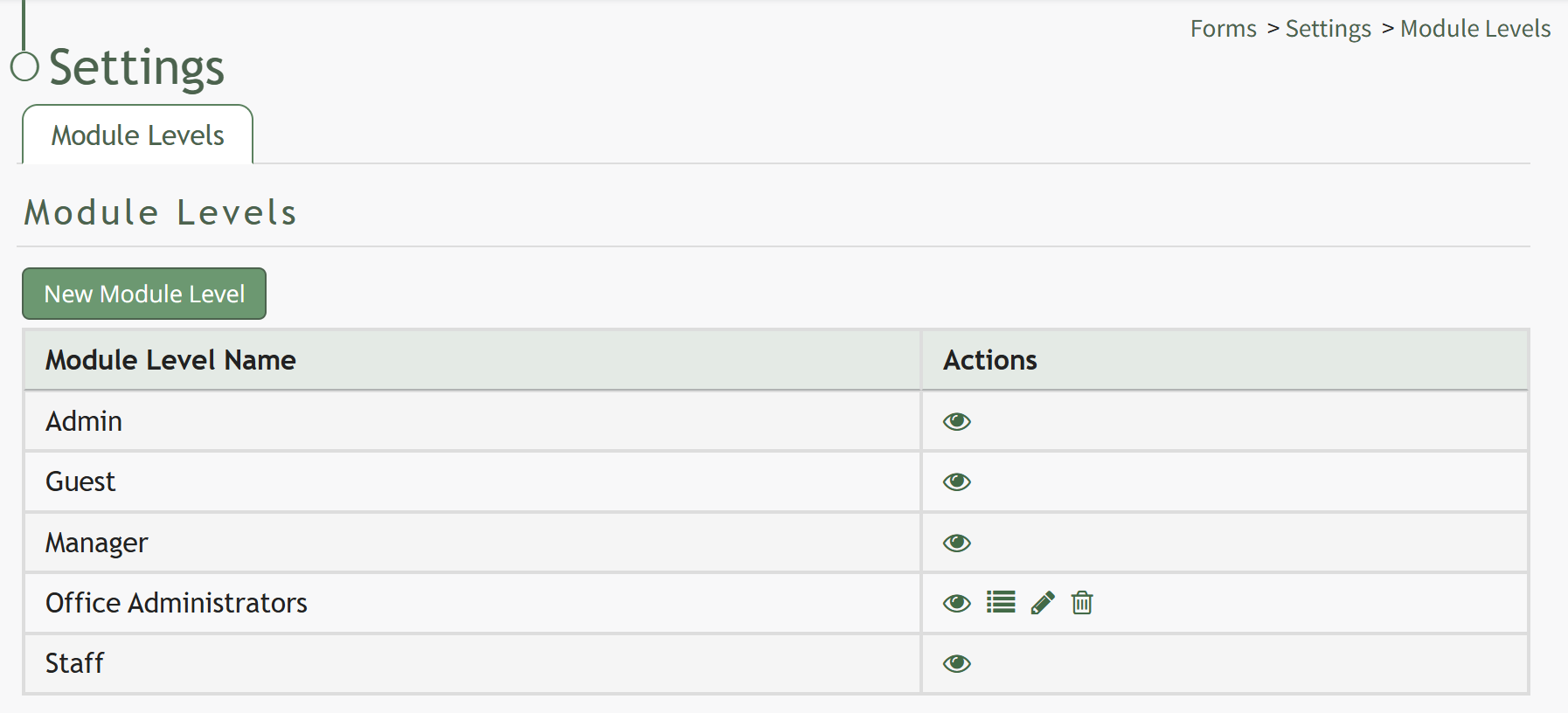
There are four basesystem Moduledefault Levelsmodule levels associated with the Forms Module. An explanation of the permissions associated with each default permissionsmodule level are shown in the Forms Module thatLevel Permissions Table below.
System default module levels cannot be altered by the user. The permissions associated with each module level are explained in the table below.customized.
Forms | |
Module Level | Permissions |
Admin | Convert database to from, delete, add form, Customform (delete / edit / view / upload pdf / list / delete all customform, manage submissions, change status, design, download pdf), Admin (manage roles), Distribute, Create Form, View Submissions, Can Skip Payments, Can Edit Payment Form Entries, Formgroup (list / add / edit / delete / view formgroup) |
Guest | Customform (view / list customform, download pdf), View submissions |
Manager | Add form, Customform (edit / view / upload pdf / list customform, manage submissions, design, download pdf), Create Form, View Submissions |
Staff | List Customform, View Submissions |
New Module Levels can be created in order to allowcustomize formodule level permissions to suit your organization's needs. An explanation of the icons associated with customized permissions.module levels have been provided in the table below.
How To: Add a New Module Level (Forms Module)
{{@375}}
Module Level Customization Icons | |
Icon | Explanation |
| The eyeball icon allows you to view users assigned to the module level as well as the permissions assigned to them. |
| The bulleted list icon allows you to assign permissions to customized module levels. |
| The pencil icon opens the Edit Module Level Modal. |
| The trashcan icon opens the Delete Module Level Confirmation Modal. |


How To: Add a New Module Level (Forms Module)
{{@375}}
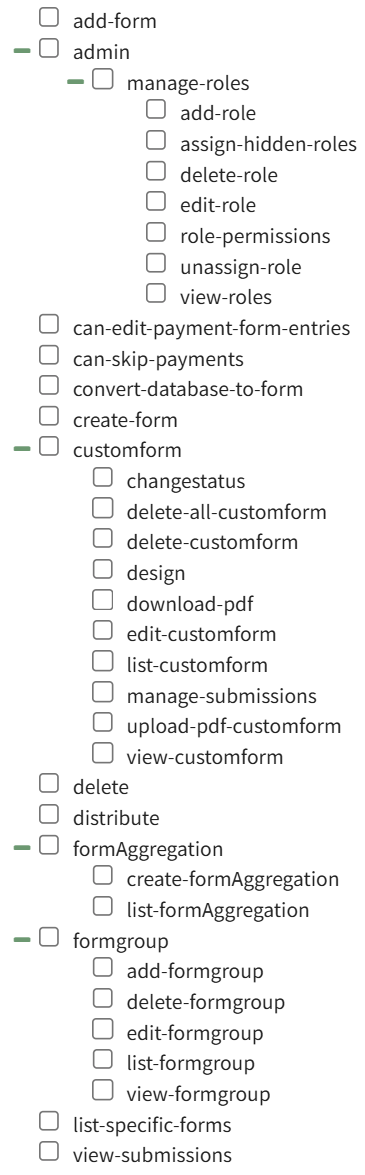
A complete list of all permissions associated with the Forms Module have been provided below.